 Ryan Echternacht
Pricing can shape how fast a SaaS company grows. It affects sign-ups, upgrades, customer retention, and long-term revenue.
However, pricing is now harder to manage than it used to be. Static and seat-based pricing are becoming rare. Many organizations now have complex pricing structures, hybrid selling motions, and multi-product offerings.
Pricing software helps modern SaaS and AI businesses handle, execute, and optimize pricing strategies. It replaces spreadsheets with digital tools and real-time algorithms to maximize revenue.
This guide reviews the best SaaS pricing software in 2026. You’ll also learn what these tools do, how they benefit your company, and which questions to ask when evaluating different platforms.
TL;DR
These are the best pricing solutions for SaaS companies:
- Stripe Billing
- Metronome
- Maxio
- Chargebee
- Orb
- Zuora
What Can You Do With SaaS Pricing Software?
SaaS pricing software lets you control plans, manage billing, handle the customer lifecycle, expand revenue, and support price analysis from one place.
Implement Different Pricing Models
Pricing solutions can help you design, test, and implement different SaaS pricing models. These include:
- Flat-rate subscriptions
- Tiered pricing
- Seat-based pricing
- Credit burndown
These platforms also allow your SaaS company to test new pricing strategies and business models without rebuilding the pricing engine.
For example, you can start with cost-plus pricing to cover operational expenses. However, as the internal cost of building your product becomes more expensive, you can switch to value-based pricing to protect margins and capture upside revenue.
This is where you charge based on product value and set optimal prices that align with a customer's willingness to pay.
Automate Recurring Billing
Recurring billing can become hard to manage as more customers sign up, change plans, or renew contracts over time.
SaaS pricing software takes that work off your plate. It can automatically handle renewals, send recurring invoices, and process payments.
The pricing engine also applies the right charges when a user upgrades, downgrades, adds new seats, or purchases an add-on.
Customers get billed accurately and on time. Your SaaS business can efficiently handle recurring revenue.
Manage Subscriptions
Pricing software helps you handle the entire subscription lifecycle. This includes trial pricing, paid plans, plan changes, account upgrades, cancellations, and renewals.
When a customer moves from one plan to another, the software can instantly adjust prices, billing dates, and usage limits.
Seamless subscription pricing workflows make it easier to manage active accounts, improve conversions, and give customers a more positive billing experience.
Drive Revenue Expansion
SaaS pricing tools use metered paywalls to encourage customers to upgrade their accounts.
Pricing software can also show which accounts are close to plan limits and which customers are ready for expansion.
These pricing insights help you improve packaging strategies and identify opportunities for revenue expansion. For example, the software may reveal that a lot of customers hit a usage cap each month.
You can ship a new plan with a higher price and usage limit to capture higher revenue per account. Alternatively, you can allow automatic top-ups when an account's credit balance drops below a defined threshold.
Analyze Market Trends and Pricing Data
Pricing decisions should not be based on guesswork or opinions. You need to know what customers value, what they use, and how competitors price their products.
Fortunately, the best pricing software provides useful insights into market data, customer behavior, sales patterns, plan demand, churn rates, upgrades, and product usage. These help you see which plans and pricing models are growing your business.
Some pricing platforms also support competitor price tracking by collecting competitor data and prices from the internet. These allow you to monitor how similar SaaS companies package plans, set limits, price add-ons, and present value.
7 Best Pricing Software for SaaS Companies
Below are the leading SaaS pricing solutions that help software companies manage pricing, subscriptions, and billing.
1. Schematic
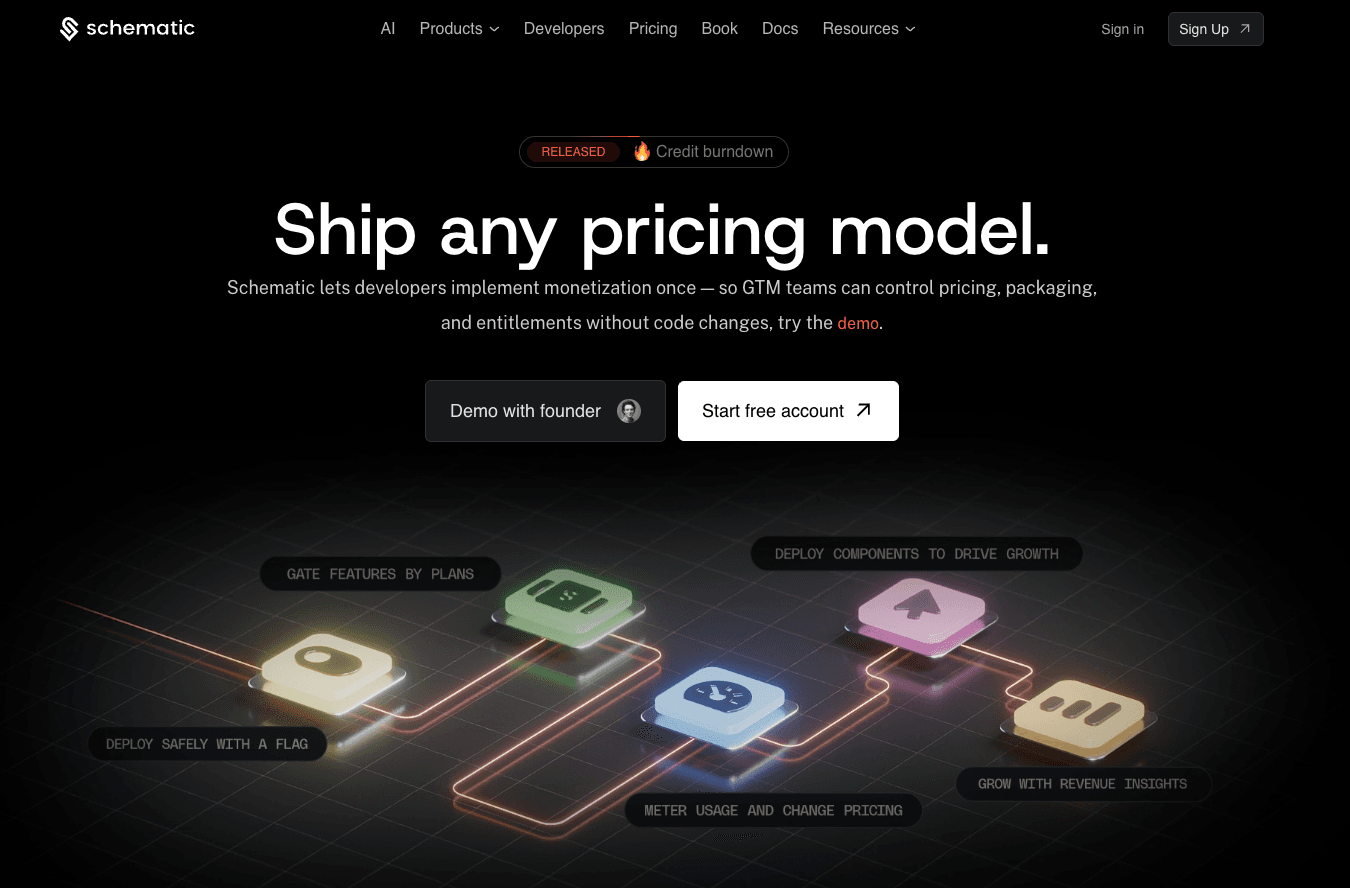
Schematic is the monetization operating system that sits between your application and Stripe. It allows engineering to decouple pricing logic from the product.
SaaS and AI companies can ship any pricing model without deploying code. Launch flat-fee subscriptions, pay-as-you-go, credit-based pricing, and more within days.
Schematic also enables business teams to manage plans, software entitlements, limits, trials, credits, add-ons, and exceptions in one place.
Account executives can allow overage pricing for a strategic customer near their usage limit. Product managers can gate a new feature to a beta user or add it to a paid tier. Go-to-market (GTM) teams can add sales-led on top of self-serve plans while staying aligned with what the product actually allows.
Any change in Schematic is reflected in the product, the billing system, and the customer portal at runtime.
Schematic, built on Stripe, handles SaaS pricing and packaging at every stage. Stripe continues to manage payments, invoices, and revenue recognition.
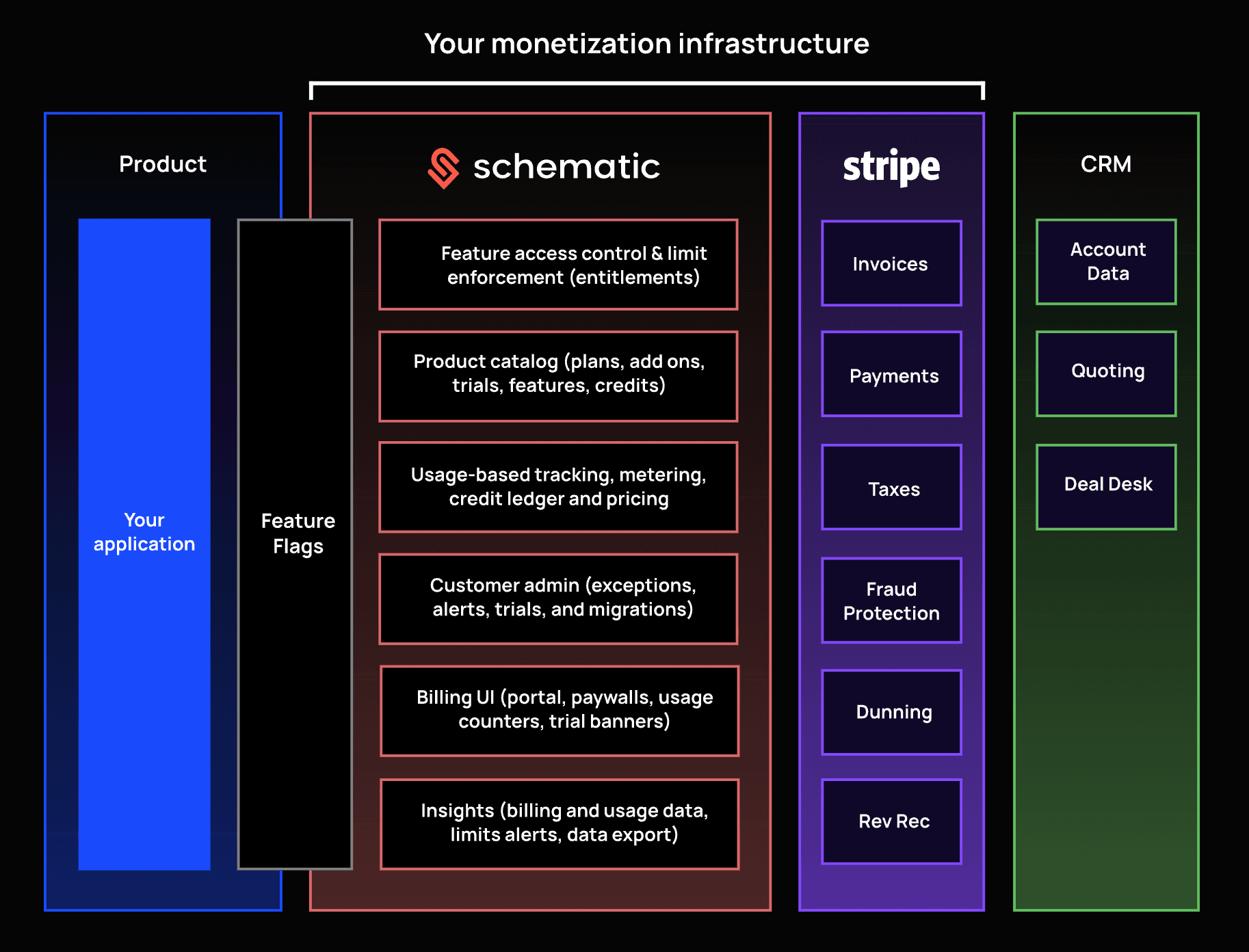
Schematic makes Stripe better with usage-based tracking, metered billing, feature access control, limit enforcement, and drop-in billing components.
Developers stop writing billing code and maintaining complex entitlement management systems. Businesses can continuously iterate on monetization.
Key Features
- Native Stripe app: Manage entitlements, usage, and plans directly from Stripe.
- Centralized product catalog: Create custom plans, bundle or unbundle features, launch trials, offer add-ons, and allow credit rollovers.
- Usage metering and billing: Track actual consumption and ship any usage-based pricing model.
- Entitlement management: Control which customers get access to specific features, limits, and plans based on what they've purchased.
- Company profiles: View an account's plan, usage, and limits from a single scrolling page.
- Embeddable billing components: Add customer portals, pricing tables, usage dashboards, and other purchasing components beyond basic checkout.
- Revenue insights: Identify upgrade opportunities and churn risks in real time.
- Seamless integrations: Connect to Stripe, Segment, Clerk, WorkOS, Salesforce, and Hubspot, and then use SDKs for all major stacks.
- SOC 2 and GDPR compliance: Schematic meets SOC 2 (Type 1 and Type 2) and GDPR compliance requirements to protect sensitive data.
2. Stripe Billing
Source: Stripe.com
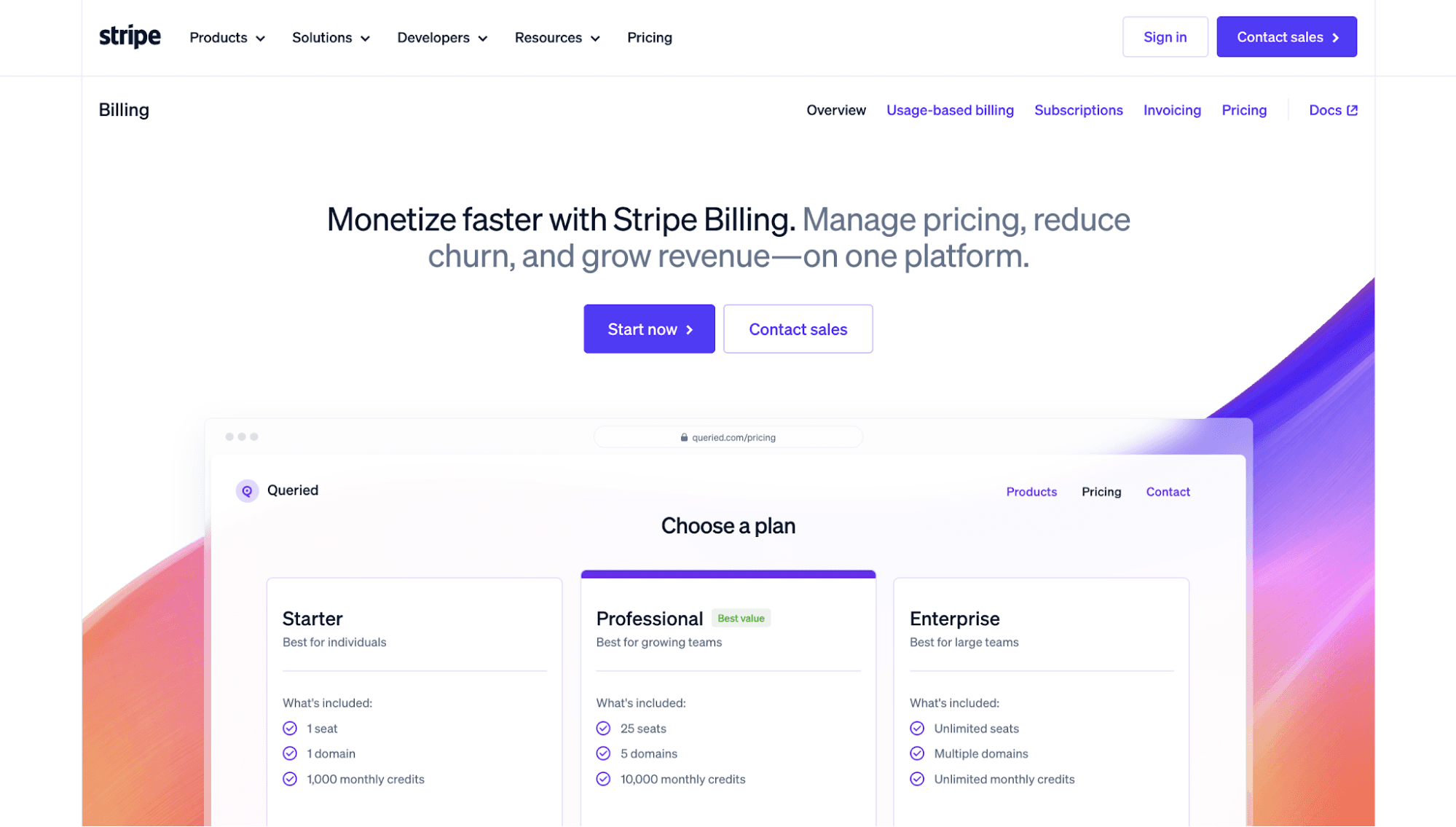
Stripe Billing combines usage-based pricing, subscription management, and invoicing tools in one platform.
It provides no-code workflows for usage metering, credits, and flexible pricing, helping SaaS businesses bill customers for actual consumption.
Stripe Billing also features a user-friendly dashboard where teams can easily set up recurring payments. Create products, establish price points, define subscription periods, and manage invoices.
Automated payment collection and reconciliation allow organizations to get paid faster. Finance teams benefit from a simplified accounts receivable (AR) process. Meanwhile, customers can choose their preferred payment method.
Stripe Billing also breaks down key billing metrics, such as monthly recurring revenue (MRR), churn, and payment failures by customer segment. This helps SaaS companies understand their current pricing performance and adjust strategies when needed.
Key Features
- Usage-based billing: Stripe Billing supports usage-based, overages, and hybrid pricing.
- Subscription pricing management: Handle recurring revenue and launch any subscription-based pricing model.
- Online payment processing: Accept card payments, digital wallets, bank payments, and other online payment methods.
- Automated invoicing: Create and send accurate invoices without requiring code.
- Billing analytics and benchmarks: Review billing performance, compare customer segments, and benchmark metrics against similar businesses.
3. Metronome
Source: Metronome.com
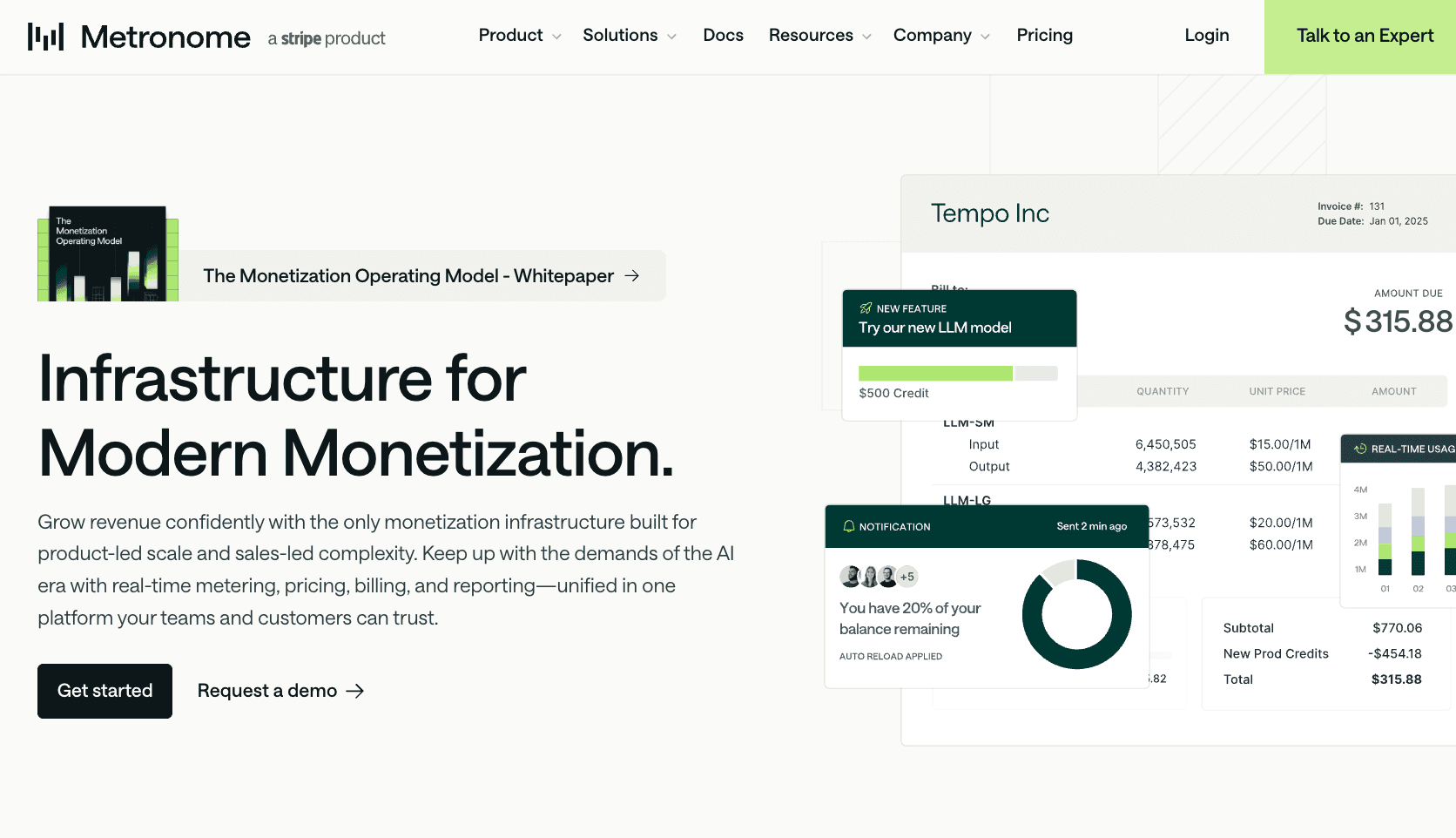
Metronome is a SaaS pricing solution designed for product-led scale and sales-led complexity. It helps pricing teams launch products faster, test different pricing scenarios, and implement changes without rebuilding billing logic.
The software supports usage-based, seat-based, tiered, hybrid, and outcome-based pricing. It also provides levers for different commercial models, including pay-as-you-go, prepaid credits, multi-bucket commit models, and enterprise agreements.
Metronome can also create different price lists for any go-to-market strategy, such as self-serve, enterprise, marketplace, and reseller motions.
Metronome is built for complex pricing scenarios. It helps SaaS companies handle real-time event ingestion, usage metering, and make strategic decisions based on market conditions.
Key Features
- Usage metering and event ingestion: Track high volumes of usage events and aggregate them for accurate billing.
- Single source of truth: Manage pricing models, templates, rate cards, and credit systems in one place.
- Pricing levers: Metronome supports commits, credits, minimums, discounts, tiers, overages, and other monetization controls.
- Granular customer configuration: Provide custom contracts, flexible discounts, overrides, and amendments for each customer.
- Embedded real-time data: Send real-time usage and usage data into your product, data warehouse, and customer-facing systems.
4. Maxio
Source: Maxio.com
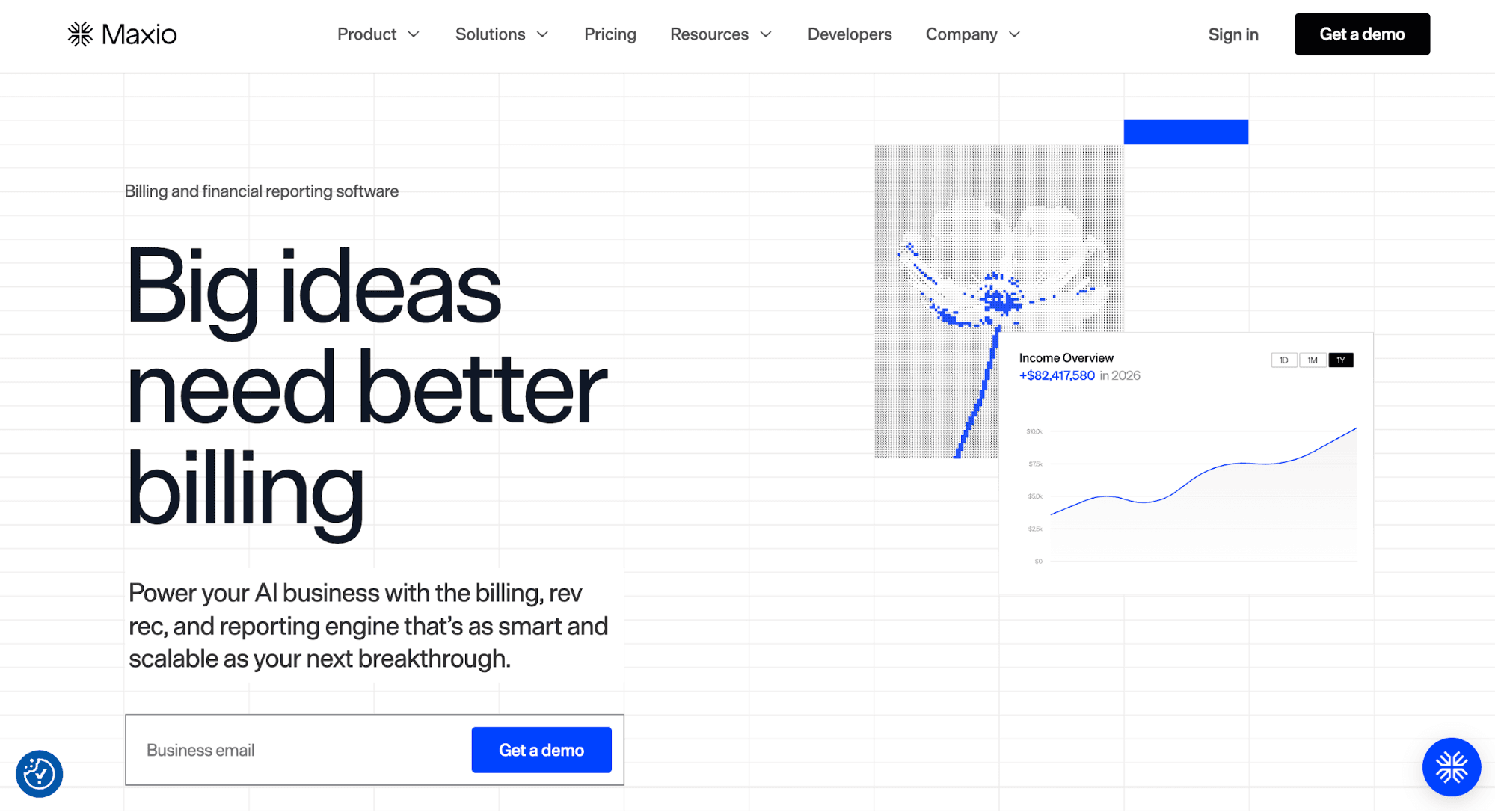
Maxio is pricing software that unifies subscription billing, revenue recognition, and reporting. It helps SaaS and AI companies handle recurring revenue and uncover the necessary financial insights to run a profitable business.
Teams use Maxio to ship flat-rate, tiered, usage-based, and hybrid pricing models. They also rely on the platform to collect payments and manage the entire subscription lifecycle, from trials and sign-ups to upgrades.
A built-in customer portal enables users to upgrade plans, renew contracts, and send payments on their own without contacting sales reps.
Maxio also provides SaaS reporting tools, which empower stakeholders to visualize market shifts, monitor churn risks, manage audits, and support price optimization. Teams can even analyze business health and user behavior by cohort, product line, and other filters.
Key Features
- Automated billing and invoicing: Generate and send invoices without manual work and errors.
- Subscription management: Manage plans, create custom contracts, and allow customers to upgrade or renew through a self-service portal.
- Flexible pricing catalog: Implement flat-rate, usage-based, tiered, and hybrid pricing models. Then, adjust pricing rules and offers to match buyer needs.
- Reporting tools: Track recurring revenue, churn, days sales outstanding (DSO), and other key SaaS metrics.
- Revenue recognition: Apply tailored recognition rules that align with ASC 606 and IFRS 15 compliance requirements.
5. Chargebee
Source: Chargebee.com
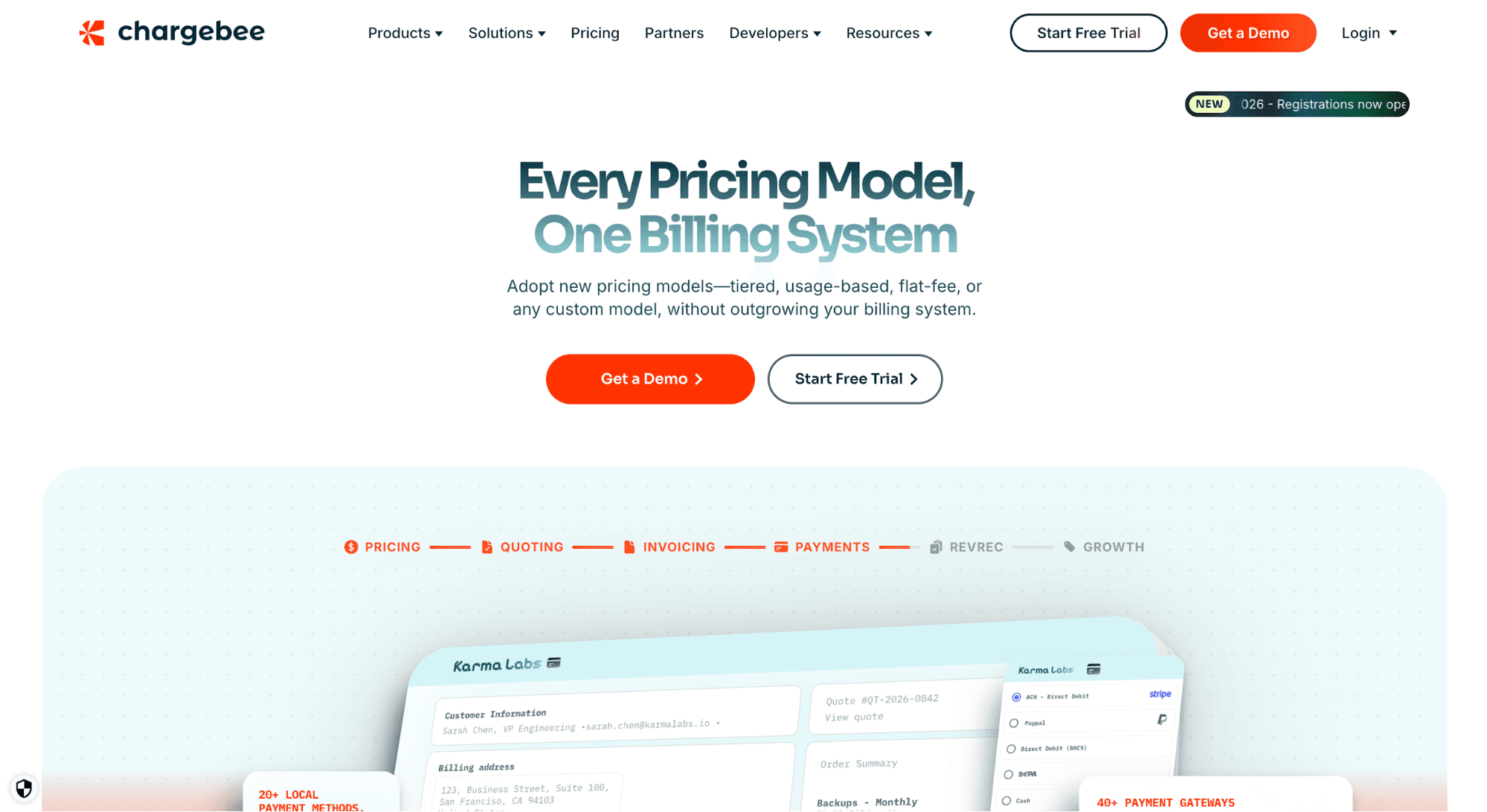
Chargebee offers SaaS pricing software that specializes in recurring billing and subscription management. It automates revenue and billing workflows, making it easier to scale financial operations.
Teams can create subscription offerings, choose a pricing model (tiered, per-user, multi-year, usage-based, or hybrid), integrate payment solutions, and set up recurring billing logic.
Chargebee automatically takes care of the rest, such as invoicing, reconciliation, payment retries, and revenue recognition. It can also manage every step of the subscription lifecycle, including upgrades, downgrades, and renewals.
Chargebee even provides access to subscription analytics and insight-driven dashboards. Businesses can easily track average revenue per subscription, customer lifetime value, churn, revenue leakage, and other metrics to understand current performance.
Key Features
- Centralized product catalog: Manage plans, add-ons, monetization models, and pricing strategies from one place.
- Automated billing and invoicing: Generate accurate invoices for complex pricing scenarios without manual work.
- Subscription lifecycle management: Handle upgrade or downgrade billing adjustments, collect payment details, and offer discounts or gifts to convert users.
- Analytics and insights: Track revenue data and key SaaS metrics from reporting dashboards.
- Accounting integrations: Connect Chargebee to your accounting software to keep all your financial systems in sync.
6. Orb
Source: withOrb.com
Orb is a SaaS pricing platform built for companies offering usage-based billing. It can meter usage events at scale, model prices, create invoices, and recognize revenue.
Orb's usage billing software can tailor prices to specific accounts and implement changes in customer-facing systems. These include pricing pages, calculators, and checkout flows.
The platform also includes version-controlled pricing updates, advanced dunning tools, AR aging reports, and seamless integrations with tax systems. These simplify finance workflows and help the business maintain a healthy cash flow.
For SaaS companies using pricing as a strategic advantage, Orb provides the necessary tools to bill with more accuracy and maximize revenue.
Key Features
- Usage-based billing: Ingest usage events and turn them into accurate invoices.
- Flexible price modeling: Model complex pricing logic, test changes, and support new pricing models.
- Experience kit: Provide SaaS pricing pages, advanced dashboards, and checkout flows that help communicate pricing information to customers.
- Financial tools: Connect usage data to contracts, finance workflows, revenue recognition, and collections.
- Transparent invoicing: Define how Orb handles invoices when you adjust prices and allow customers to see their usage at any time.
7. Zuora
Source: Zuora.com
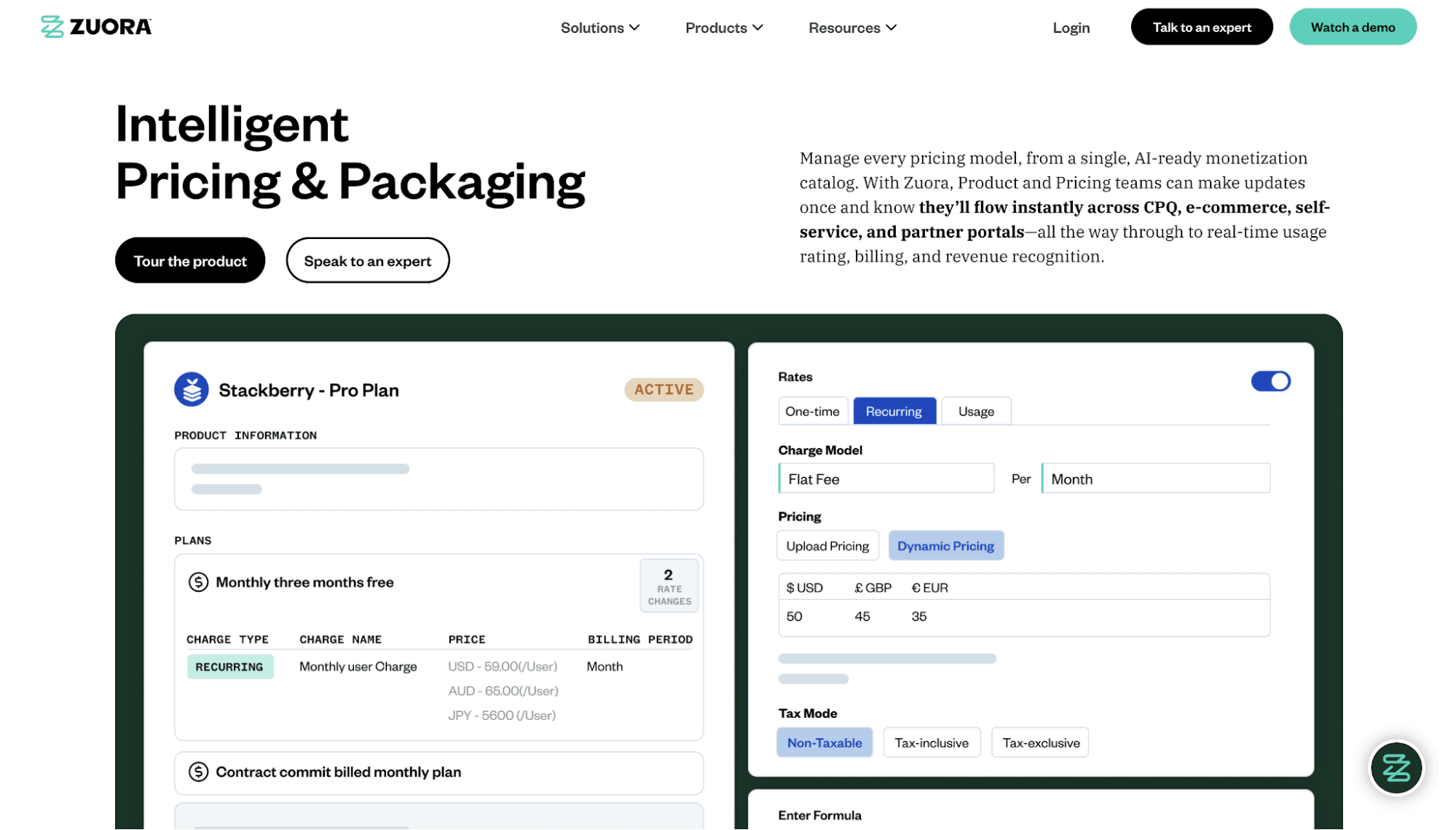
Zuora offers a pricing intelligence solution for companies that need to manage pricing, packaging, billing, and revenue at scale. Its monetization catalog stores products, pricing rules, discounts, SaaS entitlements, and accounting policies in one place.
Teams use the same catalog to apply pricing changes across e-commerce, CPQ, self‑service portals, and partner portals. This improves pricing consistency and supports faster approval workflows.
Zuora supports dynamic pricing, bundles, usage-based pricing, prepaid commitments, tiered pricing, and formula-based pricing. Companies choose when to bill customers, whether monthly, annually, or on custom schedules.
The platform can even create global pricing lists with multi-currency support. This allows the SaaS business to cater to international customers and expand operations into new regions.
Key Features
- AI-ready monetization catalog: Manage products, pricing rules, discounts, entitlements, and accounting policies in one catalog.
- Ready-to-use pricing models: Use flat-fee, tiered, volume, usage-based, prepaid commitment, and formula-based pricing.
- Global price lists: Support multi-currency pricing and reporting for regional expansion.
- Embeddable accounting rules: Add revenue recognition and accounting rules directly into the pricing catalog.
- Feature access management: Gate product access by feature level to encourage upsells.
SaaS Pricing Software Comparison Table
Here's a comparison table to help you evaluate different SaaS pricing solutions.
Software | Use Case | Pricing Models Supported | Cost |
Schematic | Runtime monetization and entitlement management | Flat-fee subscriptions Seat-based Usage-based Overages Credit burndown Tiered pricing Hybrid pricing | Starter (Free) Growth ($200/month) Enterprise (Custom pricing) |
Stripe Billing | Price management and invoicing | Usage-based Tiered pricing Flat pricing Overages Hybrid pricing | Pay-as-you-go pricing (0.7% of billing volume) Annual subscription ($620/month) |
Metronome | Usage-based metering | Usage-based Outcome-based Seat-based Hybrid pricing Fixed pricing | Starter (Custom pricing) Custom (Custom pricing) |
Maxio | Billing, revenue recognition, and reporting | Flat-fee Usage-based Tiered pricing Hybrid pricing | Grow ($599/month) Scale (Custom pricing) |
Chargebee | Recurring billing and subscription management | Flat-fee Usage-based Tiered pricing Per-user pricing Hybrid pricing | Starter (Free for the first USD 250K of cumulative billing, then 0.75% on excess) Performance ($7,188/year) Enterprise (Custom pricing) |
Orb | Usage-based billing | Usage-based Seat-based Hybrid pricing Prepaid credits | Core (Custom pricing) Advanced (Custom pricing) Enterprise (Custom pricing) |
Zuora | Intelligent pricing and packaging | Flat-fee Tiered pricing Volume pricing Usage-based Prepaid commitments Formula-based | Custom pricing |
Advantages of Using SaaS Pricing Software
Below are the benefits you can expect from the right pricing software.
Drive Revenue Growth
Pricing software helps you capture more revenue by aligning pricing with how customers use and value the product.
It also ensures customers are charged the correct prices for subscriptions, usage levels, upgrades, and add-ons. This reduces revenue leakage from billing mistakes, missed usage charges, and inconsistent pricing information.
The platform also provides real-time insights into pricing performance. This helps you identify expansion opportunities, optimize packaging, and increase average revenue per customer.
Improve Pricing Flexibility
One report reveals that 94% of B2B SaaS leaders update their pricing or packaging at least once a year. This shows that pricing is not something teams can set once and ignore. SaaS companies need flexible systems that let them adjust pricing as products, buyers, and sales motions change.
Pricing software can enable faster pricing changes without forcing teams to rebuild their billing infrastructure.
The business stays competitive when customer needs shift or market changes affect pricing strategy. Teams can quickly launch new plans, add usage tiers, test bundles, or update limits without delays.
Reduce Errors
A manual pricing process can lead to inaccurate invoices, missed usage charges, expired discounts, and plan setup mistakes. These errors can hurt revenue and create extra work for finance, support, and sales teams.
Pricing software reduces human errors by enforcing strict pricing rules, automatically calculating charges based on actual usage, and eliminating manual data entry.
The platform also lets you manage pricing logic in one place. This makes it easier to keep billing accurate, especially when handling complex product configurations.
Increase Operational Efficiency
Pricing software helps teams automate pricing changes across billing systems, subscription management platforms, customer portals, checkout flows, and contracts.
Instead of updating spreadsheets or asking developers to hard-code every price change, teams can update price lists, launch plans, offer discounts, and handle mid-cycle changes from one system.
This reduces the amount of manual work needed from finance, RevOps, sales, and engineering. They can focus on their core tasks instead of pricing and packaging.
Questions to Ask When Evaluating SaaS Pricing Tools
The right SaaS pricing software should fit your pricing model, existing tech stack, budget, and growth plans. Here are the questions to ask different software vendors when comparing tools.
What Pricing Models and Strategies Does the Software Support?
Ask which pricing models the tool can support. Can it implement seat-based, usage-based, tiered, flat-rate, and hybrid pricing? Make sure it can handle the basic models.
You should also check if the software can support different pricing strategies. You may start with cost-plus pricing or penetration pricing, where you set the lowest price to attract a large number of users fast.
Eventually, you may want to test other strategies, such as competitor pricing, value-based pricing, and skim pricing.
The best software helps you ship different pricing models and strategies without a billing rebuild.
Can You Quickly Change Pricing and Adjust Plans?
Ask how hard it is to change plan limits, prices, bundles, and feature access. A good SaaS pricing tool should let product, GTM, and sales teams make frequent price changes without relying on engineering.
You should also see how changes affect billing systems, checkout flows, customer portals, and existing contracts. This matters when you need to test new offers or support different sales cycles.
Does It Integrate With Your Existing SaaS Tech Stack?
The pricing software should work with your payment processor, data warehouse, accounting system, pricing analytics, and customer relationship management software. Strong integrations give business teams cleaner data for revenue optimization.
Then, ask whether the platform supports APIs and SDKs. These help developers build pricing engines, usage tracking, and feature flag checks directly into the software product.
How Easy Is It to Use the Software?
Product, finance, sales, RevOps, engineering, and support teams may all need access to the pricing software.
The interface should be intuitive and user-friendly, allowing non-technical team members to manage common tasks.
If the platform has a steep learning curve, your team may still depend on developers for basic pricing updates.
Can the Pricing Solution Scale?
Think about what your pricing may look like one or two years from now. You may have more products, more customer segments, more contract types, and more complex billing operations.
Ask if the software can keep up with that kind of change. It should support custom deals, higher usage volume, multiple currencies, bundles, and new pricing rules as your SaaS business grows.
You should also be able to respond to market factors without rebuilding the entire pricing infrastructure. If the tool only works for your current pricing model and strategy, you might need to switch platforms later. That costs valuable time and money.
How Much Is the Total Cost of Implementing the Software?
Do not judge pricing software by the subscription fee alone. Calculate the real cost, which includes setup time, migration work, developer support, training, integrations, and any extra tools needed to make the system work.
Ask what your team will need to change before launch. Will you need to clean billing data, rebuild plan logic, or transfer customer data from another system?
A tool that is cheaper upfront may cost more if it creates extra work every month. The better choice is the one that fits your team’s budget, time, and workflow.
Ship Any Pricing Model and Enforce Access at Runtime With Schematic
Schematic empowers modern SaaS and AI companies to launch any pricing model within days. Ship pay-as-you-go, overages, seat-based, and credit-based pricing without hard-coded logic.
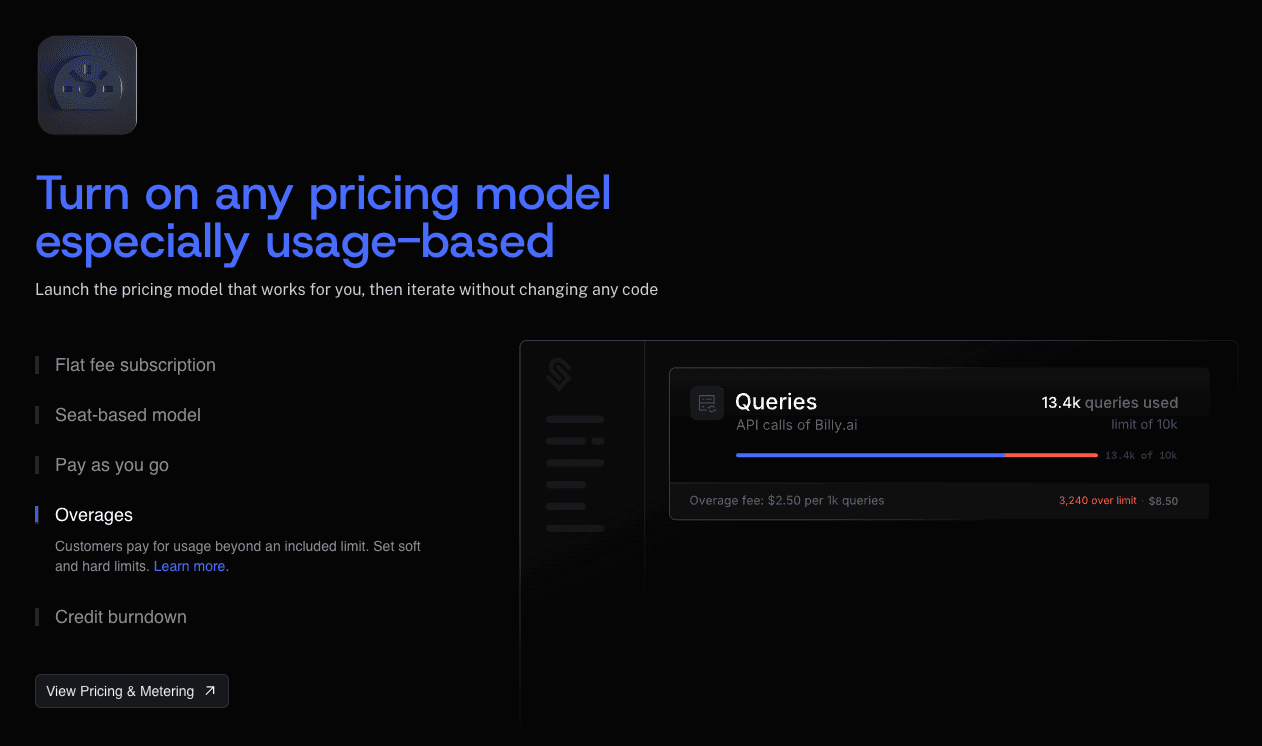
Schematic lets you define plans, credits, limits, feature access, add-ons, and custom overrides in a centralized product catalog.
Schematic is built on Stripe. Stripe handles invoices, payments, and revenue recognition, while Schematic evaluates and enforces access inside your product at runtime. That means customers receive the right access based on what they've purchased.
Schematic also extends Stripe with feature flags, internal admin dashboards, billing components, and revenue insights.
Engineering implements monetization once. GTM teams can control pricing, packaging, and limits without code changes.
FAQs About Pricing Software
What is pricing software?
Pricing software uses automated tools and real-time algorithms to help companies set, manage, test, and update prices. Some platforms specialize in usage-based billing, while others help SaaS businesses manage the subscription lifecycle.
What are the different types of pricing software for SaaS?
Common types of SaaS pricing software include billing systems, subscription management tools, usage-based billing platforms, entitlement management systems, and price optimization and management software.
How do pricing tools support dynamic pricing?
Pricing tools support dynamic pricing by suggesting prices based on product usage, customer behavior, market trends, and competitive pricing. Many teams rely on dynamic pricing software to update plans, usage tiers, discounts, or offers faster.