All posts
AI Agent Pricing: How to Charge Customers for Agent Usage
Blog· Ryan Echternacht·Sep 28, 2026
Ryan Echternacht·Sep 28, 2026
Artificial intelligence (AI) agents are changing how software companies charge for their products. Unlike traditional SaaS platforms, agents can work independently, complete many tasks within seconds, and consume different amounts of compute with each job.
That makes it difficult to build pricing for AI agents. A flat fee may not reflect how much work an agent performs or how much it costs to run. Heavy usage can reduce profit margins, while prices that feel too high can push customers away.
It's important to connect AI pricing with actual usage, customer value, and underlying costs required to run your agent.
In this guide, we will explain what AI agent pricing means and how to charge customers for agent usage.
TL;DR
- AI agent pricing is how software and AI companies set prices for autonomous agents.
- Teams can charge buyers for agent actions, workflows, raw usage metrics, AI credits, or completed tasks.
- To bill customers, they need to compute costs, define target margins, assign unit prices, set usage allowances, meter consumption, generate invoices, process payments, manage entitlements, and iterate on pricing.
- AI agent pricing is harder than traditional software pricing because usage can be unpredictable, agents can act on their own, inference costs vary, and billing infrastructure requirements can become complex.
- Schematic helps software and AI companies monetize agents using any pricing model. It's the complete usage billing platform with metering, credit wallets, runtime enforcement, and self-service controls.
What Is AI Agent Pricing?
AI agent pricing is the process of billing customers for autonomous AI tools that complete tasks without human intervention.
Instead of charging for software access or per seat, software companies set prices based on how the AI agent delivers value to enterprise buyers.
Customers pay for tasks completed, business outcomes delivered, model or API call usage, or a credit bundle that abstracts raw consumption metrics.
For companies building agents, AI agent pricing is the commercial structure that can turn agent activity and usage into revenue.
Why Usage-Based Pricing Makes Sense for AI Agents
Most companies monetize AI agents using a usage-based pricing strategy for several reasons. This pricing structure fits AI products because almost half of buyers prefer variable pricing, based on a G2 report.
- Charges follow actual consumption: Customers pay for each task, workflow, API call, or any usage metric.
- Pricing supports stronger value alignment: Vendors can charge for units that match what the AI agent does, such as actions, workflows, credits, or API usage.
- Revenue can grow with usage: As customers rely on AI agents for their daily work, they can increase spending without paying for more seats.
- Variable costs are easier to recover: Heavier AI agent use can increase model, compute, API, and tool costs. Usage-based billing connects higher consumption with higher charges.
- Light users can start with lower costs: Customers with limited need for AI agents don't need to commit to the same spend as enterprise buyers. They can start small and grow usage over time.
A Step-by-Step Guide on How to Charge Customers for AI Agent Usage
Follow these ten steps to bill customers for AI agent usage successfully.
1. Choose the Right Billing Unit
The first step involves selecting the billing unit that reflects how customers use and value the AI agent.
Some vendors charge customers for the individual actions the agent performs, while others bill for workflows, raw usage units, AI credits, or finished tasks.
Make sure the billable unit is easy to track and explain to buyers.
Below are some popular examples.
Agent Actions
Agent actions are individual steps completed by the AI agent. These may include sending an email, searching a database, creating a document, and updating records in the customer relationship management (CRM) software.
This billing unit fits AI products where each action has a clear value and can be tracked separately.
Workflows
A workflow groups several agent actions into one billable unit. For example, a sales agent might research a lead, update the CRM, draft an email, and send it to the customer. All the steps taken are considered one workflow.
Charging per workflow makes sense when customers aren't concerned about each action. Customers can better understand pricing because they don't need to track underlying costs for every step.
Tokens, Compute, and API Consumption
Tokens, compute time, and API calls measure the raw resources an AI agent consumes. Token-based pricing charges according to the amount of text an AI model processes or produces.
These units work well for API pricing because developers already understand technical usage metrics. They fit AI infrastructure and developer tools like Vercel.
However, raw consumption units can be difficult for non-technical buyers to understand and predict before using the agent.
AI Credits
Credits turn AI agent activity into one common billing unit.
Different actions can consume different credit amounts. A simple step might cost one credit, while a more costly workflow could use several credits.
Credit-based pricing suits AI tools with several agents, models, or features that incur variable usage costs. It provides predictability to buyers and flexibility to vendors.
Customers only need to track a single pool of credits instead of several technical metrics, making it easier to control spending.
Revenue operations (RevOps) teams can quickly adjust how many credits different AI agent actions consume without overhauling the entire pricing model.
Completed Tasks
Completed tasks charge customers for a finished piece of work rather than every step the AI agent takes. Examples include a resolved ticket, qualified lead, reviewed document, or generated invoice.
This billing unit fits AI agents that perform clear jobs with defined endpoints. It also works well when customers care more about what gets completed than how many API calls or tokens were required.
2. Calculate the Cost of Running the AI Agent
Next, calculate how much money it costs your company to deliver each unit of agent usage. Consider model calls, input and output tokens, compute, storage, API requests, external tools, and other usage-based costs.
Do not assume every agent costs the same amount to run. One agent may prompt a single model call, while another may trigger several steps, tool calls, retries, or large context windows.
Calculate the average expenses for common workloads, then test what happens during periods of heavy usage.
You should also leave room for supplier price changes. Multiple providers, cloud vendors, and API services can change their rates as new trends emerge or the market matures.
Computing the costs per action, workflow, credit, or task helps you set the ideal price point for your AI agent.
3. Know Your Desired Profit Margin
After calculating your costs, decide how much gross profit you want to keep from each unit of agent usage. Your selling price needs to cover the cost of running the agent while leaving enough revenue to support the business.
Avoid setting margins based only on average consumption. Agent workloads can vary greatly between customers and tasks.
Model different cost curves for simple requests, normal activity, heavy workloads, and sudden usage spikes.
Pay close attention to expensive workflows that require several model calls, tool invocations, retries, or follow-ups.
You may think you have a healthy margin for basic tasks. However, the same price point may perform poorly for more complex workflows and cause your business to lose money.
4. Assign a Price or Credit Cost
Once you know the billable unit, operating costs, and target margins, you can now assign a customer-facing price.
The rate should reflect both the cost of running the deployed agent and the value it delivers.
For direct usage charges, you might set a dollar amount for each action, workflow, task, or unit of technical consumption.
With credits, assign a credit cost to each type of activity. Multi-step workflows or valuable jobs can consume more credits than simple tasks.
You can also combine usage charges with a fixed platform fee that covers software access. This hybrid billing approach gives your company predictable revenue from the base subscription fee while still capturing upside from higher consumption.
Regardless of the approach you select, make sure the price is easy to explain. Buyers should be able to understand how much it costs to use the AI agent before signing up.
5. Set Agent Usage Allowances and Usage Limits
Define how much AI agent usage customers receive and what happens when they reach that amount. A plan may include a set number of tasks, workflows, actions, or included credits during each billing period.
Then, establish rules for usage beyond that allowance. You may block further activity at the cap, charge overage fees for extra consumption, allow customers to buy more credits, or require approval before the agent resumes work.
Let customers set soft or hard limits. A soft limit can send an alert while allowing the AI agent to continue activity. A hard limit can stop paid activity once the account reaches the usage cap.
These rules give customers more control over their spending while protecting your software company from costly usage that exceeds the amount covered by the plan.
6. Meter and Rate Consumption Events
After setting limits, track every billable event the AI agent creates. Metering records actions, workflows, tasks, tokens, API calls, or credits consumed. Each event should be linked to the correct customer account, contract, and billing period.
Next, rate each usage event based on your pricing rules. Rating converts raw usage into a billable charge or credit deduction. For example, a resolved support ticket may cost five credits, while a multi-step workflow might consume 10 credits.
Your metering system should also prevent concurrent agents from double-spending the balance.
Accurate event records make it easier to monitor usage, handle billing disputes, and show accurate customer balances as AI agents continue to run.
7. Convert Usage Data to Accurate Invoices
Now that usage has been metered and rated, you can turn those records into customer invoices. Each invoice should match the usage the customer generated during the defined billing period.
Make sure to apply the correct rates, credit burndown rates, overage pricing, discounts, and custom contract terms to avoid billing disputes.
Instead of showing only the total payable amount, include invoice line items, such as tasks completed, credits consumed, or overage units. Clear invoice details help customers understand what they were charged for.
8. Connect Your Billing Software to a Payment Solution
Once invoices are ready, connect your billing system to a payment solution or payment gateway that can collect the amount due. The gateway accepts different payment methods (e.g., cards, bank transfers, or digital wallets) and multiple currencies.
Your billing software should send the correct invoice amount and payment details to the payment solution.
It must also record whether the payment succeeds, fails, or requires another attempt. This keeps billing records tied to the customer’s payment status.
9. Invest in Entitlement Management Systems
Billing tells you what a customer owes. Software entitlements control what that user can access and how much usage the AI agent is entitled to.
Use an entitlement management system to check plan limits, credit balances, feature access, agent permissions, and account rules while the product is running.
For example, the system can decide whether an AI agent should start another task after the customer reaches a spending cap or runs out of credits.
Without it, engineering teams may rely on custom solutions built directly into application code. That can make pricing changes slower and harder to manage as your business grows.
The best entitlement software keeps pricing rules, usage limits, and product access connected. This lets you apply changes to plans or limits without rewriting billing and entitlement logic.
10. Gather Feedback and Iterate on Pricing
You should continuously iterate on AI agent pricing as customer behavior, agent costs, and product value change.
Monitor usage growth, gross margin, expansion revenue, churn rates, and common billing questions after launching the AI agent pricing model. These metrics show when prices, limits, or billable units need adjustment.
Talk with sales and customer success teams to learn where most customers get confused or feel restricted.
You should also read support tickets related to pricing because they can reveal useful insights on how buyers perceive your costs.
Use their feedback to improve pricing and packaging. You may need to change credit values, included usage allowances, overage rates, or priority consumption rules.
What Makes AI Agent Pricing Harder Than Traditional Software Pricing
Traditional SaaS products often use simple pricing, such as a fixed monthly fee for software access. AI monetization is harder to manage because usage, costs, agent behavior, and billing rules can change from one task to another.
Unpredictable Usage
AI agents do not always use the same amount of resources for every request. A simple task may require one model call, while another can trigger multiple actions, tool invocations, retries, and follow-ups.
Usage can also increase suddenly when customers automate high-volume jobs. This makes it harder to predict how much each AI agent will consume and whether the set price point will cover the cost of serving that usage.
Autonomous Agent Activity
AI agents can keep working with little to no manual input. This is different from how a human works with traditional software, where usage only happens with a person clicking or typing.
A single prompt can cause an agent to run several tasks at once and consume credits rapidly.
Concurrent activity can also cause several tasks to draw from the same balance at the same time, which leads to double spending.
Variable Inference Costs
The cost of running an AI agent can change from task to task. One request may use a small number of tokens, while another may need longer context, several model calls, more compute, or paid third-party services.
Different AI agents can also have varying input and output costs. This makes it difficult to set one price that produces a healthy margin for both simple and resource-heavy agent jobs.
Complex Pricing Models
AI companies may combine platform fees, usage charges, credits, overages, custom pricing, and enterprise overrides in one pricing structure.
Some may also charge minimum commitments for a set usage allowance or outcome-based fees when the agent delivers a business result.
Each additional policy makes pricing harder for customers, sales teams, and finance teams to understand.
Edge cases add another layer of complexity. The company must track all of these rules and exceptions to charge customers accurately for using the AI agent.
Demanding Billing Infrastructure Requirements
Traditional SaaS products can often charge the same amount at the end of each billing period. All you need is recurring billing software to handle invoices, payments, and subscriptions.
AI agent pricing differs because each action creates different costs. To bill accurately, your AI company needs:
- Price modeling
- Plan versioning
- Configurable limits
- Runtime entitlement checks
If you're launching credit burndown pricing, you also need credit wallets, expiry windows, priority consumption rules, credit rollover policies, and concurrency-safe holds.
Without the right billing infrastructure, teams may struggle to keep usage records, customer balances, limits, and invoices in sync.
Expert Tips to Follow When Implementing AI Agent Pricing
Apply these tips to launch AI agent pricing effectively.
Communicate Pricing Units Clearly
Use pricing units customers can understand before they start using the AI agent.
Explain how much each action, task, workflow, credit, or other billable event costs. Avoid exposing technical units because most customers do not understand them.
Buyers should also know what happens once they exceed usage allowances. They might be charged overage fees or have further activity blocked until they buy more credits.
Clear communication prevents billing disputes and makes AI agent pricing easier to trust.
Provide Real-Time Visibility Into Usage
Provide access to a live usage dashboard where customers can see current consumption, credit balance, spend, and remaining allowance. This is especially useful when autonomous agents can run many tasks in a short period.
Buyers should be able to identify which AI agents or workflows are consuming the most usage.
Real-time visibility also helps customers understand where their budget is going and spot sudden usage spikes before they receive a larger-than-expected bill.
Allow Customers to Set Spending Limits
Give customers complete control over AI agent usage and spending. Let them set caps, adjust credit top-up policy, and decide what happens at the limit.
Buyers gain confidence that usage will stay within budget and they will only be charged for what they expect.
Monitor Usage Patterns
Track how customers use AI agents after pricing goes live. Look at usage volume, task size, credit consumption, retries, high-cost workflows, and accounts that reach their limits often.
Compare these consumption patterns with revenue and cost data to find customers or workloads that produce weak margins.
Usage data can also show whether allowances are too small or generous and whether pricing units are confusing.
Adjust AI Agent Pricing as Costs and Behavior Change
Do not treat AI agent pricing as fixed. Model rates, API costs, compute needs, customer usage, and agent behavior can change over time. Review whether current prices still cover the cost of serving each workload and reflect the value customers receive.
You may need to update credit values, allowances, overage rates, or billable units. Test changes with a smaller customer group before rolling out to your entire customer base.
Schematic Ships Usage-Based Pricing Built for the AI Era
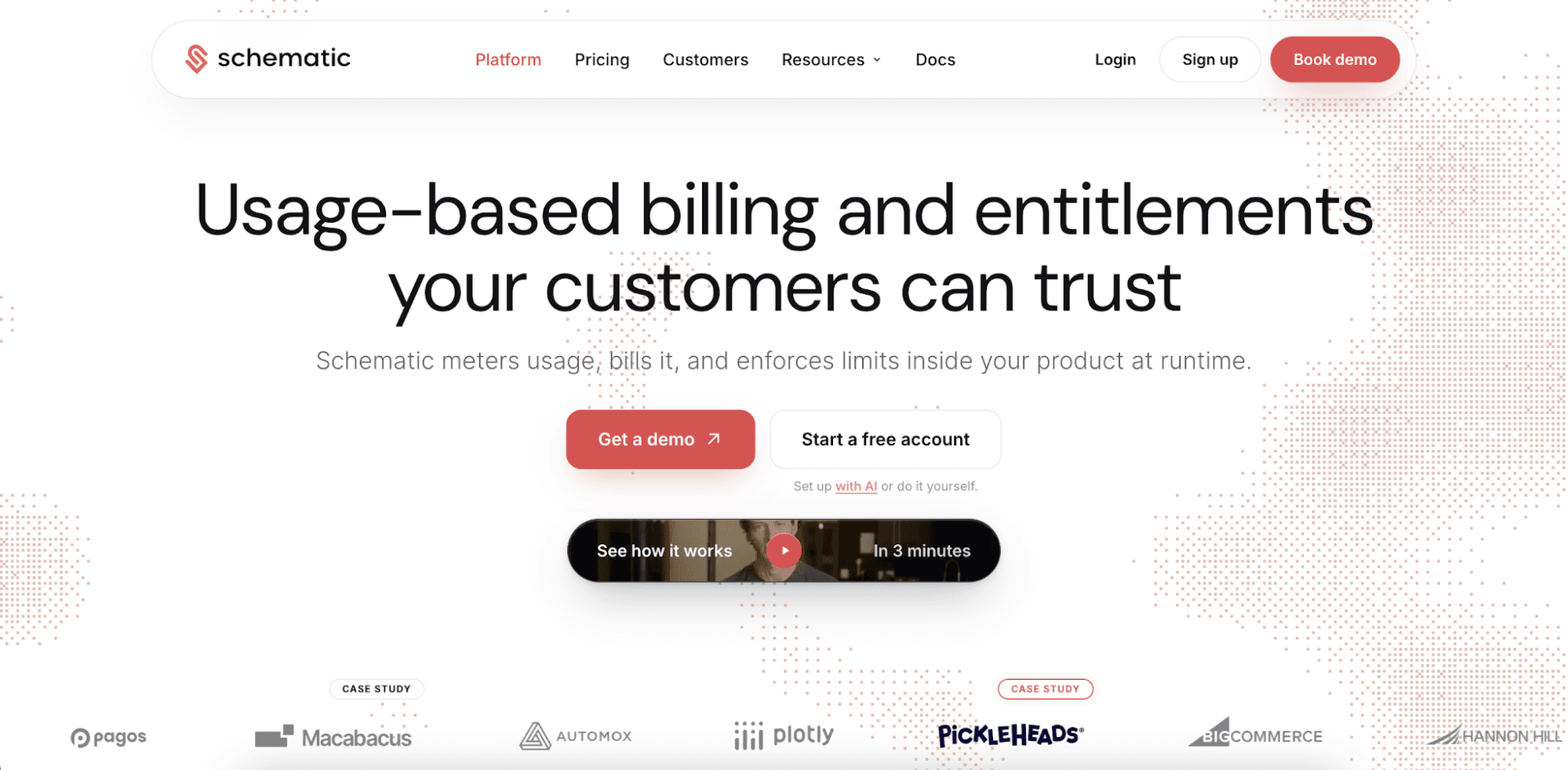
Schematic is a complete usage-based billing platform that helps software and AI companies monetize AI agents.
It combines metering, billing, and runtime entitlement enforcement to solve the trust problem in usage-based pricing.
Enterprise credit wallets give enterprise customers real-time visibility into consumption, detailed invoices, self-service controls, and configurable spending limits. Balances, limits, and plan components stay updated as usage happens.
Commercial teams get one pricing engine for modeling and credits. Version plans through configuration and preview changes before rollout.
In Schematic, policies take effect the moment you or your customer saves them without requiring an engineering ticket. One flag check gates features and works in React, Node, Python, and Go.
The product and agents like Claude or Codex read the same billing truth. They can list plans, check usage, identify companies near their limits, and run dunning workflows to retain customers.
FAQs About AI Agent Pricing
Are AI agents expensive?
For sellers, AI agents can be costly to run because they use several models, tokens, compute resources, APIs, and external tools.
Buyers tend to pay more when using AI agents, especially when they trigger multi-step workflows, use advanced AI models, or complete resource-heavy tasks.
How do software companies price AI agents?
Software companies can price AI agents based on actions, workflows, tokens, compute, API calls, credits, completed tasks, or business outcomes. Many teams also implement hybrid pricing that combines a flat fee with variable usage charges.
What is the best AI agent pricing model?
The right model for pricing AI agents depends on how they create value for customers and incur costs for the business.
Usage-based pricing fits AI agents with variable activity, while credit-based pricing works well for mixed workloads. Outcome-based pricing suits AI agents that deliver measurable results. Hybrid pricing is also a popular model because it balances stable cash flow and revenue predictability with potential upside.