 Ryan Echternacht
SaaS pricing is moving away from flat-fee subscriptions. Many companies now sell seats, add-ons, usage limits, AI credits, bundles, and custom plans.
Entitlement checks affect how monetization appears inside the product. They decide which features, limits, and access rights each customer is entitled to. They evaluate the customer's plan, subscription, and contract terms before allowing them to use the product.
When implemented properly, entitlement checks can enforce SaaS pricing and packaging, protect revenue, and reduce manual access errors.
This guide explains the definition of entitlement checks and their role in monetizing software products.
TL;DR
- Entitlement checks decide what a customer can access inside a SaaS product based on their subscription plan or contract.
- They help SaaS companies monetize their products effectively by controlling what each account can use and how much it can use.
- Entitlement checks also prevent revenue leakage, enforce pricing rules, support usage-based and hybrid billing, and reduce access errors.
- Schematic provides a control plane for plans, entitlements, limits, and exceptions. It also enforces access inside the product at runtime without hardcoded logic.
What Are Entitlement Checks?
Entitlement checks are real-time checks that decide what a customer, account, or user can access inside a software product.
For example, a customer on a Free plan may try to create advanced reports. Before approving the action, the product calls the entitlement management system. This engine evaluates the account's plan, limits, and current usage.
The application blocks user access if advanced reporting is not part of their plan and the customer has exceeded the set number of reports included.
In simple terms, entitlement checks answer what a customer is allowed to use based on what they've purchased.
Entitlement Checks vs. Authentication vs. Authorization
Authentication, authorization, and entitlement checks control access in different ways.
Authentication verifies who the user is. It checks a login, password, biometric, or single sign-on session.
Authorization restricts what a user can do based on certain rules. It often evaluates roles, devices used, job titles, and other attributes. For example, users with an "admin" role can edit billing details, while those with a "viewer" role have limitations.
Entitlement checks work at the account level. They decide what the account can use based on what the user purchased. For instance, a company on the Pro plan may get API access, while a company on the Starter plan cannot use certain features.
The Role of Entitlements in SaaS Monetization
Software entitlements help SaaS companies connect pricing and billing to product behavior. They turn plans, add-ons, trials, limits, and contract terms into access inside the product.
Their role is simple. They control what each account can use and how much it can use.
For example, a customer on a free plan may have basic access and lower limits. A paid customer might receive more features, higher limits, or premium support.
Entitlement checks confirm that the user purchased your app legitimately and provide the correct access based on what they bought.
Types of SaaS Entitlement Checks
SaaS products use different entitlement checks to control access and usage limits.
Feature Gates
Feature gates decide whether an account can access certain features inside the product. These entitlement checks are common in tiered pricing.
For example, a Free tier may include basic features and security controls, while a Pro plan includes advanced capabilities and privileged access management. The product checks the account’s plan and other billing context before allowing access.
Feature gates also show clear upgrade paths. If a customer wants to use a gated feature, they need to upgrade to a higher tier that unlocks that capability.
Soft and Hard Usage Limits
Limits control metered usage of features, such as seats, storage, credits, projects, messages, or API requests.
Hard limits block user access when the limit is reached. For example, an account with 100 monthly credits cannot use 101 credits unless it upgrades, buys more credits, or enables automatic top-ups.
Soft limits enable customers to continue using the product once they hit a certain usage level. However, performing actions beyond the limit will trigger alerts, overage pricing, or throttling.
Configuration
Configuration entitlements change product behavior that affects the customer experience. They do not always turn a feature on or off. Instead, they decide how a feature works for each account.
For example, one plan may allow 30 days of data history, while another version allows 12 months. One customer may get five seats, whereas an enterprise account gets 20 seats.
How SaaS Entitlement Checks Work
SaaS entitlement checks follow a step-by-step process every time a user tries to access a feature.
- A user performs an action inside the product.
- The app sends a request to check the account’s plan, limits, and active entitlements.
- The entitlement management software reviews the request against the account’s current feature access and usage limits.
- It returns a response that allows, limits, or blocks the action.
- The product shows the right result to the user. If an account fails to pass the entitlement checks, it won't be able to access the app.
Why SaaS Companies Use Entitlement Checks
Below are the four main reasons why SaaS companies use entitlement checks.
Prevent Revenue Leakage
Revenue leakage occurs when customers receive access to more features than they paid for. It also happens when metered usage is not tracked correctly.
LeakShield’s analysis of more than 500 revenue audits revealed that entitlement over-provisioning made up 7% of total leaked revenue. This means some customers had access to features, add-ons, or usage limits that were not matched to what they purchased.
Entitlement checks reduce this risk by evaluating an account's plan before allowing usage or feature access. If a customer does not have the right plan, the product blocks the activity or shows an upgrade message.
Entitlement checks also help SaaS teams prevent overuse or misuse of resources, which protects profit margins. They are especially important for monetizing AI products because usage introduces high operational costs that can eat into margins.
Enforce Pricing and Packaging Accurately
SaaS pricing often includes several plans, add-ons, usage limits, and contract terms. Entitlement checks help the product apply those rules inside the app.
For example, a Starter plan may include basic reports. A Pro plan might offer advanced analytics, data exports, and more seats. An Enterprise tier may include custom limits or special admin controls.
The product should not depend on support tickets or manual updates to enforce these access rules. Entitlement checks give the app a clear way to decide what each account can use based on pricing and packaging plans.
SaaS entitlements also enable teams to iterate on monetization without rebuilding access logic across the app and the billing system. This keeps access aligned with sales, product, and customer support decisions.
Support Usage-Based and Hybrid Pricing Models
Many companies now charge usage-based fees on top of subscription plans. They bill for actual product consumption, such as credits, API calls, storage, compute time, and monthly active users (MAUs).
Usage-based billing needs clear access rules. Customers need to know what they can use, what limits apply, and what happens when they reach them.
Entitlement checks connect product usage to the billing system. Teams can charge the right amount and show customers the correct access inside the product.
Once users reach the limit, the app can automatically trigger extra charges or show upgrade prompts.
Entitlement checks are useful for AI products, where usage may map to tokens, model calls, image credits, or agent runs.
Reduce Manual Billing and Access Errors
Manual access control often leads to mistakes. A support team member may forget to remove a trial feature. A sales rep might approve a custom limit that engineering teams never add. A downgrade may show up in the billing system, but not inside the product.
Entitlement checks reduce these errors by making access decisions from one source of truth. When a plan changes, the product can automatically update access without manual work.
This also helps internal teams. Instead of checking spreadsheets, tickets, notes, or application logic, they can instantly see which accounts have access to certain features.
Entitlement checks also make the product more secure. They block access when a customer lacks the right plan, subscription status, or contract term.
Tips for Implementing Entitlement Checks
Here are some tips for implementing entitlement checks inside your app.
Centralize Entitlement Management
Keep entitlement rules in one place instead of storing them in random files or tools. A central system of record makes it easier to manage access for different plans and custom contracts.
This also helps product and revenue teams move faster. They can see which features belong to each plan, which accounts have special access, and which limits apply.
Without a central source of truth, teams may check entitlement logic in different places. That can lead to access gaps, billing errors, and more work.
Decouple Entitlement Logic from Application Code
Do not hardcode entitlement rules inside your app. Hardcoded logic can break product behavior when you change pricing.
It forces engineers to write custom code each time the business introduces a new plan, adds a package, or grants a custom deal.
A better approach is to keep entitlement logic outside the application code. The product should ask an entitlement service whether an account can use a feature or action.
Go-to-market teams can sell flexibly while staying aligned with what the app actually allows. Product managers can iterate on packaging, limits, and usage enforcement in real time.
Engineering can focus on core product development instead of maintaining complex entitlement systems.
Decoupling entitlements from code also reduces risk. When access logic lives in one place, teams are less likely to rely on brittle webhooks or manual configuration changes that can cause unintended access or outages.
Log and Audit Entitlement Decisions
Every entitlement check should leave a clear record. Logs help internal teams see which account requested access, what feature was requested, what rule applied, and whether access was allowed or blocked.
This is important when customers contact support. A support rep should be able to explain why an account cannot use a feature or why a limit was reached.
Proper logs also help finance, product, and engineering teams find errors. For example, they can identify accounts with old trial access, missing add-ons, or limits that do not match the customer’s contract.
Use proper documentation to explain how entitlement rules work. Provide additional information when needed, such as plan name, account ID, contract notes, or limit values.
Prepare for Network Latency and Downtime
Entitlement checks happen during active product use. If the check takes too long, the product can feel slow. If the entitlement service goes down, users may lose access at the wrong time.
Plan for these cases before they happen. Use safe caching for common checks and set clear timeout rules.
You should also avoid a hard crash when the entitlement system cannot confirm the subscription state.
Make sure your fallback rules protect revenue without breaking the product experience.
Expose Limits in the User Interface
Users should not guess what their plan includes. Surface limits, feature access, and current usage level inside the product.
For example, show how many seats are used, how many API calls remain, or which features are locked on the current plan. This helps customers understand their account before they hit a block.
The interface should also display restrictions in a way that encourages natural upgrades. Explain why a locked feature is inaccessible, which plan includes it, and how to upgrade.
Clear in-app messages can reduce tickets. Customers know what they can or cannot use without contacting support.
Plan for Overrides and Enterprise Customization
Enterprise customers often need special terms. They may have custom usage limits, features, support levels, or negotiated contract rules.
Build your entitlement system to handle these special cases without requiring one-off code. Each override should be tied to an account or contract. It must also have a clear owner and review date.
Overrides should not be hidden in notes, tickets, or spreadsheets. Store them in the same system as other entitlement logic.
Doing so keeps custom access rules easier to manage. You can also avoid old exceptions that stay active after a deal changes, expires, or renews under new terms.
Manage Entitlement Checks and Enforce Access at Runtime With Schematic
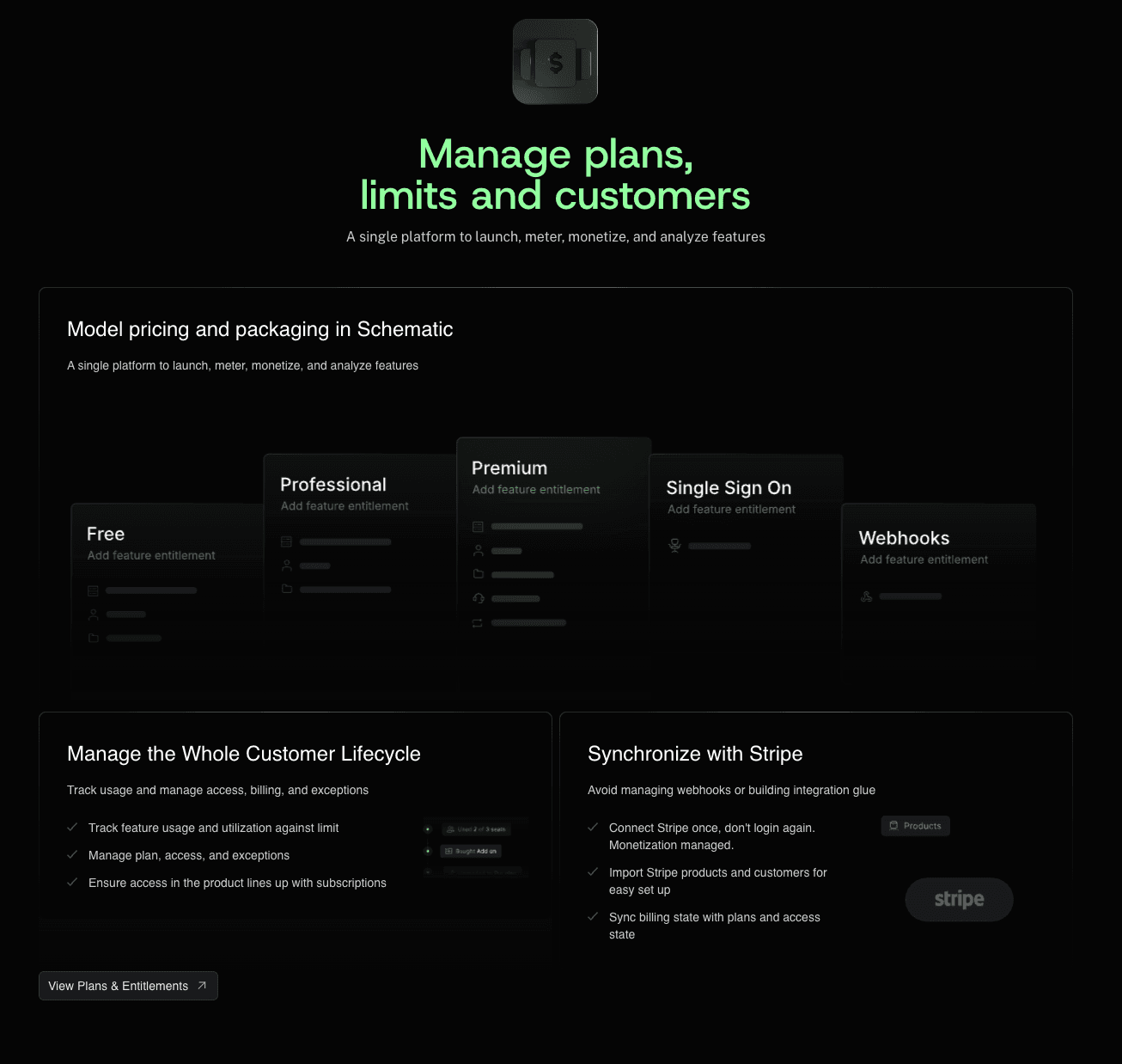
Schematic provides a single control plane for plans, entitlements, credits, limits, add-ons, and exceptions. It decouples billing and entitlement logic from the application.
SaaS and AI companies can change pricing, adjust limits, add feature entitlements, and grant overrides without code changes.
Schematic evaluates and enforces access inside the product at runtime. When a customer upgrades, downgrades, hits a limit, or receives a custom deal, product behavior changes instantly. The user can access the right feature based on their subscription state.
Schematic is built on Stripe, so you can manage entitlements and usage directly from your billing system.
Stripe manages payments, invoices, tax management, and revenue recognition. Schematic makes it better by adding feature flags, usage metering, internal admin dashboards, and embeddable billing components.
FAQs About Entitlement Checks
What are examples of entitlements?
Examples of entitlements include access to premium features, seats, storage limits, credits, add-ons, admin tools, and support tiers. They answer what an account can use inside a product.
Are entitlement checks different from feature flags?
Feature flags are used in software development testing to enable or disable new features for certain users without code redeployment. Entitlement checks decide whether a customer’s plan, subscription status, or contract terms allow access to a feature.
What is the difference between entitlements and license management?
Entitlements define what an account can access or use inside the product. License management tracks who owns or holds a software license. Both can work together in SaaS operations.