 Ryan Echternacht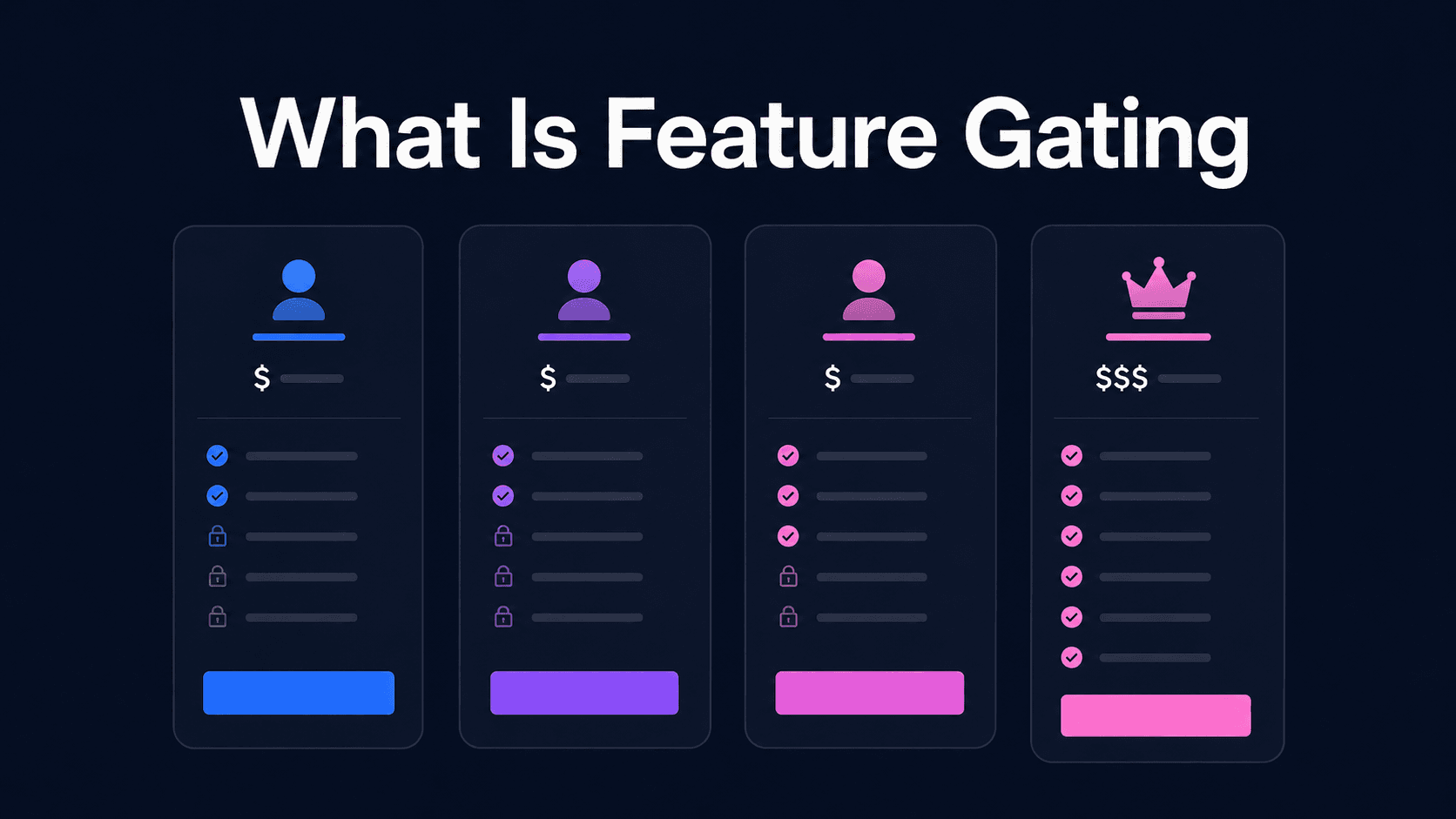
Feature gating controls who can access product features or services.
In SaaS, this usually means a user can only use certain features based on their subscription tier, payment plan, and account status. For example, a free user may get basic reports, while a paid subscriber can access advanced reports, integrations, or admin controls.
When implemented well, feature gating helps SaaS teams align value with customer needs, capture higher revenue from expansion, and protect advanced features. When done poorly, it can confuse users or make the product feel too limited.
This guide explains what feature gating is and how to use it without frustrating users.
TL;DR
- Feature gating in SaaS means controlling which users can access certain features based on their subscription plan or account terms.
- SaaS companies use feature gating to match product value to customer needs, increase free-to-paid conversions, create upgrade paths, drive expansion revenue, and support product-led growth.
- However, they often face challenges like user frustration, complex infrastructure requirements, too much granularity, and edge cases.
- To properly implement feature gating, keep core features accessible, show gated features at the right time, use a clear call-to-action, offer discounts, track behavior, and gather feedback.
- Schematic helps SaaS companies monetize and gate features by plan, usage limits, or any other criteria.
What Is Feature Gating?
Feature gating is a way for SaaS companies to control access to product features based on what a customer has paid for.
In most SaaS products, feature access is tied to a customer's subscription tier. A lower-tier plan may include basic features, while a higher-tier plan may offer more features, extra seats, higher usage limits, and extensive integrations.
Feature gating supports tiered and freemium pricing. It restricts access to advanced capabilities, which can prompt users to upgrade to a better plan.
Feature Gating vs. Feature Flags
Feature gating and feature flags are often linked, but they have different goals.
Feature gating serves a commercial purpose. It controls what paid access a customer gets based on their plan, package, or account terms. It helps SaaS teams sell the right value to different customers.
Feature flags are technical. They enable engineering and development teams to turn product changes on or off without shipping new code each time.
Here's what a typical flow looks like: feature flags control release timing, while feature gating restricts access after the feature is live.
Why Do SaaS Companies Use Feature Gating?
Here are the five main reasons why SaaS businesses use feature gating.
Match Value to Customer Needs and Budgets
SaaS companies often serve different types of customers. A solo user, small teams, medium-sized businesses, and large enterprises will not need the same access to the same features.
Feature gating helps you match features to the specific needs and budgets of each group.
Hobbyists and small teams may only need basic tools. Larger organizations, on the other hand, may require advanced features.
Feature gating can align product access with customer value, so users pay more only when they need additional capabilities.
Increase Free-to-Paid Conversions
Feature gating helps free users understand why paying for a higher-tier plan makes sense. A free version should give them enough access to try the product and solve a daily pain point. Once they see that value, paid features show what they can do next.
This works best when your software's paid feature connects to a clear need. For example, a user might start with basic reports. As their team grows, they may want custom dashboards, advanced analytics, or data exports.
At that point, upgrading should feel like a no-brainer because they already see the benefit of the paid plan.
Feature gating should not get in the way of the customer's first success. It should guide them toward the next step that helps them grow.
Create Natural Upgrade Paths
Feature gating gives users a clear reason to upgrade at the right time. Instead of forcing them to pay before they see value, SaaS teams can wait until customers need more access.
For example, users may upgrade when they hit limits, need more seats, or want advanced features. These moments are tied to actual product usage.
Teams can show upgrade prompts inside the app. The message should explain what the user receives. Customers can understand what is missing and which plan gives them more access.
Drive Expansion Revenue
Feature gating helps SaaS companies capture additional income from existing customers beyond their initial purchase.
Once users see what’s available in higher-tier plans and realize that those match their needs, it motivates them to upgrade to gain access to more features.
This creates room for natural expansion. A customer may start on a basic plan, then move to a higher plan as their needs change. They may also purchase an add-on to extend the functionality of a SaaS solution.
The buying path should be simple. If a user sees a gated feature and wants access, the next step may lead to a plan page, sales form, or checkout page. This helps turn product demand into expansion revenue.
Support Product-Led Growth Motions
Product-led growth depends on users finding value inside the product before they talk to sales teams. OpenView Partners reported that 55% of software companies identify as product-led, up from 45% in 2019.
Feature gating supports this go-to-market strategy by allowing users to try the product, reach value quickly, and then upgrade once they need more.
SaaS teams can use feature gates to guide users through the product. They can show what is initially included and what comes with a higher plan. This helps customers decide when access to more features is worth paying for.
Common Challenges in Feature Gating
Feature gating can introduce several challenges if teams lack clear rules.
Avoiding User Frustration and Perceived Unfairness
Feature gating can frustrate users when it feels too strict or unclear. Customers may feel blocked if they see a feature but do not understand why they cannot use it.
This is a bigger problem when gates affect features that users thought were part of the product by default. It can also lead to trust issues if customers feel the packaging does not match the price they pay.
Building the Right Infrastructure
Feature gating becomes difficult when access control logic is hardcoded into the app. Each plan rule, limit, and paid feature requires code changes.
This can slow down the implementation of new pricing and packaging strategies. For example, if product teams want to gate a new feature to a beta cohort or flip it to a paid tier, they need to wait for engineers to write the code.
Hardcoded feature gates are also harder to audit. Product, billing, sales, and support teams may not know if customers can use specific features. Over time, this can create mismatched access, more support requests, and slower pricing launches.
Choosing the Right Granularity
It's difficult to choose where to place the feature gate. You can gate the entire feature, a single action, or a usage level. Each choice adds complexity.
A feature-level gate may block access to an entire tool. An action-level gate might allow users to view something, but restrict them from exporting, editing, or sharing. A usage-level gate may limit volume, such as reports, seats, AI credits, or API calls.
The main challenge is that each one needs clear logic. For example, gating features at the usage level require the system to evaluate quantitative data instead of simple yes-or-no access decisions based on subscription tiers.
This increases the number of checks the system must run, making it harder to keep access rules consistent.
Handling Edge Cases
Customers change subscriptions, add seats, remove users, downgrade plans, cancel contracts, or move between monthly and annual billing.
Edge cases can break the user experience if feature access changes at the wrong time.
During downgrades, a customer's plan may expire while they are still using a gated feature. If the system cuts off access right away instead of implementing a graceful degradation, the user may lose work, data, or progress.
Plan upgrades can also create problems. A free user may upgrade to a Pro plan, but they cannot immediately see the gated features. This can happen when the app caches the old permission state.
How to Implement Feature Gating Without Frustrating Users
Here are some useful tips you can follow when implementing feature gating.
Keep Core Product Features Accessible
Do not gate the core features that users need to finish setup, test the product, or reach their first clear win.
Essential features should be accessible in all plans. Advanced capabilities can sit behind paid plans because they serve users with more complex needs.
Show Gated Features Strategically
You need to decide when to show locked features and when to hide them. Offering all features right away will not prompt users to upgrade.
A good approach is to show gated features only when they relate to what the user is trying to do. For example, show an advanced analytics tool after a user generates basic reports.
Provide a Contextual Call-to-Action
Upgrade prompts should show up right where the user runs into the limit, not somewhere unrelated. People are more open to upgrading when they clearly see why they need more access.
The context matters. A prompt next to an extra seat, an advanced tool, and additional integrations will feel natural and easy to understand. It connects the upgrade to something the customer already wants to do.
The key is to explain the value in plain terms. Tell users what they get, how the new feature helps them, and which plan includes it. The call-to-action should help users make a clear choice.
Consider Offering Discounts or Free Trials
Some users need to test a gated feature before they pay for it. A short trial or discount can help them see whether the feature is worth the upgrade.
This works well for features with clear business value, such as reports, integrations, automation, or team controls. It can also help SaaS companies sell plans at different price points without forcing users into a hard yes-or-no choice.
The offer should be simple. Explain what users get, how long access lasts, and what happens after the trial or discount ends.
Track User Behavior Around Feature Gates
Monitor how users interact with gated features. Look at which features they click, which prompts lead to upgrades, and which gates cause users to leave.
This data helps teams learn whether a gate supports growth or creates friction. A feature gate that gets many clicks but few upgrades may need stronger messaging or better plan placement.
Gather Customer Feedback
Talk to your customers and listen to what they say about feature access. Ask them what feels fair and what feels confusing.
Free users, paid customers, sales reps, and support teams all see different issues. For example, sales may hear pricing concerns. Support receives complaints about access issues. Users often ask why something is locked.
These conversations help teams maintain better feature gates over time. They also give teams the ability to fix problems early, before users get frustrated and leave.
Gate Features by Plan and Other Policies Set Up in Schematic
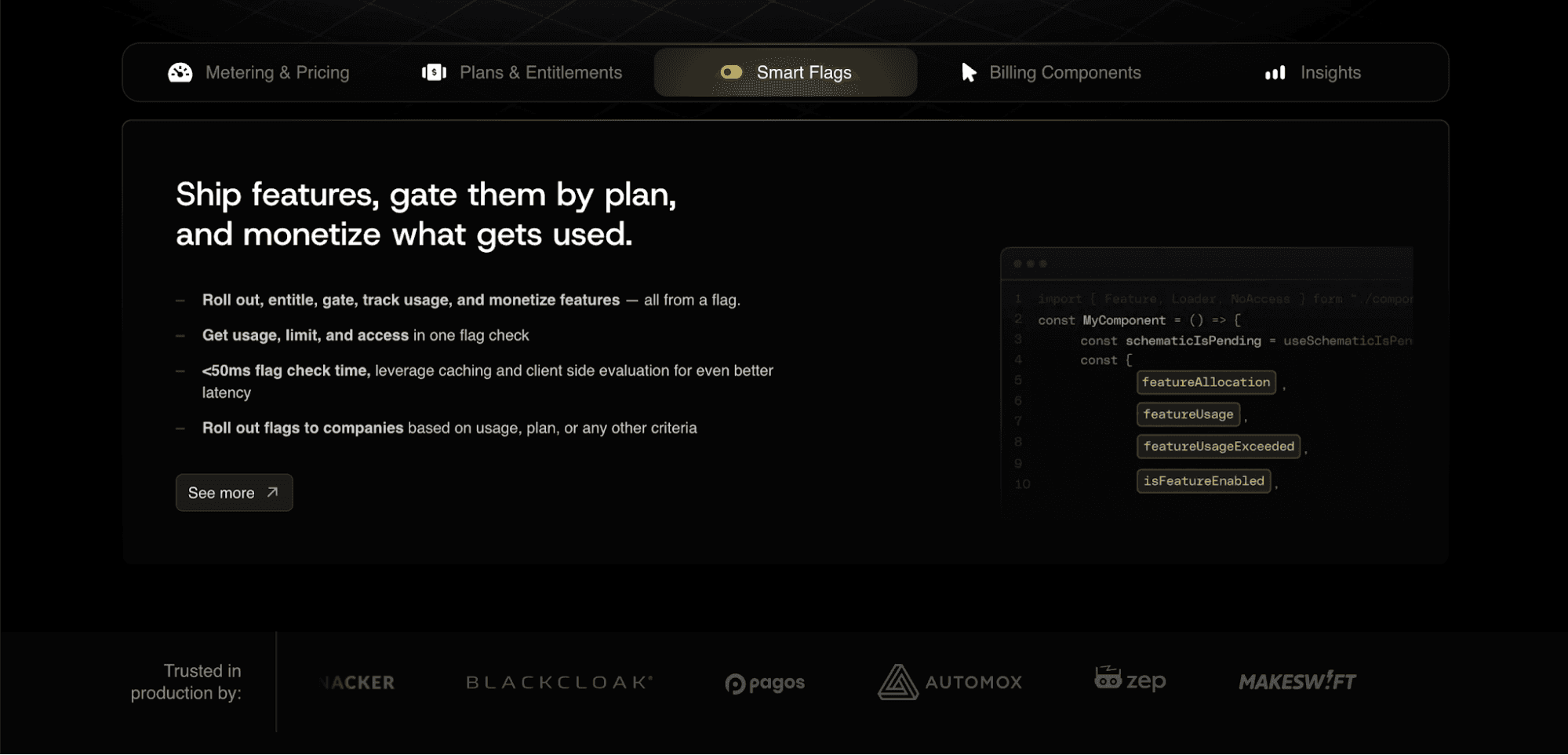
Schematic combines feature management and subscription management into one platform. Product and go-to-market teams can control how features are rolled out, accessed by customers, and monetized using smart flags.
Gate features by plan, usage limits, add-ons, overrides, individual targeting, or any other policy set up in Schematic. This ensures that customers can only see features tied to their subscription plans, limits, or company-specific overrides.
Schematic is built on Stripe, so teams can keep Stripe for invoicing and payment processing. Schematic connects Stripe billing state to product access and enforces pricing at runtime.
Engineering stops writing billing code and maintaining complex entitlement management systems. Business teams can control pricing, packaging, and software entitlements without waiting on developers.
FAQs About What Is Feature Gating
What is the purpose of feature gating?
The purpose of feature gating is to control product access based on pricing, plans, roles, usage, or account status. It helps SaaS companies define what each customer can use and connect product value to revenue.
What is feature gating in SaaS?
Feature gating in SaaS means showing, hiding, limiting, or allowing access for a user based on their plan or account terms. It is often used to manage premium features, usage limits, add-ons, and exceptions.
What is the feature gating mechanism?
The feature gating mechanism checks whether a user should access a feature based on their plan, role, usage, account status, or policy. If they qualify, the feature will be available to them. If not, it may be hidden, limited, locked, or shown alongside an upgrade prompt.
What is the difference between a feature flag and a feature gate?
A feature flag is technical. Developers use it to turn product changes on or off without code redeployment. Meanwhile, a feature gate has a commercial focus. It controls access based on what a customer paid for or what policy applies to their account.