 Ryan Echternacht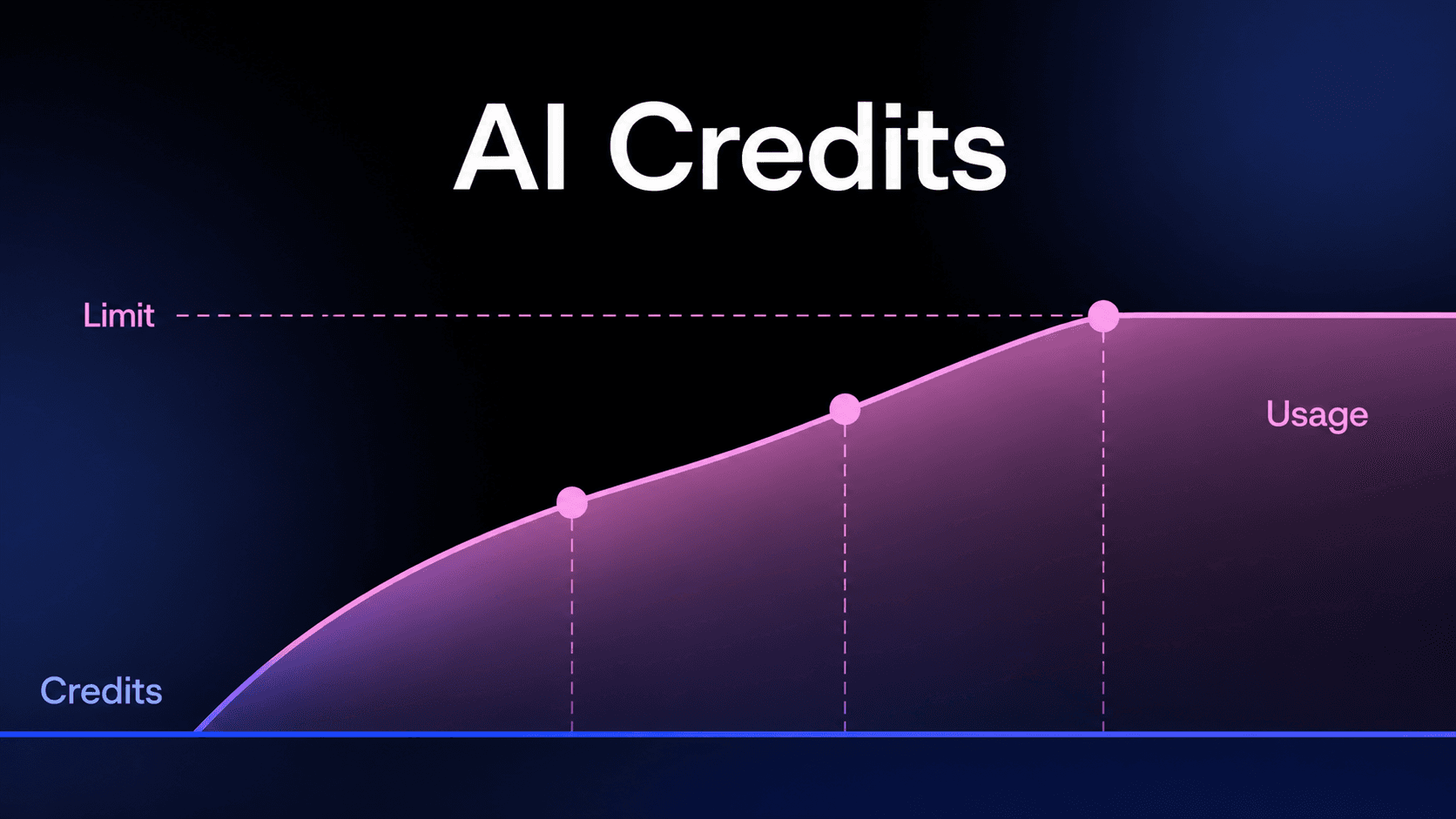
AI credits are units used to measure and charge for AI usage inside software products. They are often seen when generating text, creating images, processing a file, or sending an API request.
AI usage rarely stays consistent for everyone. One developer testing an integration may send only a few requests, while a team building a feature can generate thousands in a short period.
Credits give platforms a simple way to track that activity and connect it to pricing.
In this article, you’ll learn what AI credits are, how they work, where they appear, and what happens when they run out.
TL;DR
- AI credits are usage-based billing units that measure and charge for AI activity such as text generation, image creation, or API requests inside software products.
- Each plan or purchase comes with a set number of credits, which are used up as people generate content, send requests, or run tasks.
- AI credits are commonly used by AI platforms, cloud providers, and SaaS products that tie pricing to real usage instead of fixed or seat-based plans.
- Platforms like Schematic help you launch, meter, and enforce AI credit pricing without embedding billing logic directly in your application code.
What Are AI Credits?
AI credits are usage-based billing units that measure how AI features are used inside your product. Instead of charging only for access to a plan, you track credit usage tied to actions such as text generation, image generation, or API requests to AI models.
Each credit reflects a unit of work like processing text, running computation, or completing a task. In simple cases, one AI credit may cover a small request, but usage depends on how the system is configured.
For example, image generation might use 25 credits per image, while a simple text request may use one credit. The amount of credits required is calculated based on the model used and the task complexity.
Included credits are built into paid plans, with credits refreshing on a set date. These refresh cycles usually align with monthly billing periods.
Unused AI credits can either expire or roll over, depending on your subscription setup. When users reach plan limits, they can buy additional AI credits to continue usage.
Many SaaS products offer prepaid credit packs that customers buy once and consume gradually as they use AI features.
This model differs from flat subscriptions or seat-based pricing by linking usage directly to credit consumption and giving better control over limits as usage increases.
Why Do AI Platforms Use Credits Instead of Fixed Pricing?
AI usage rarely looks the same for every customer. One team may send a few requests each week, while another runs thousands of tasks or processes large datasets. These differences in consumption patterns make fixed pricing difficult to justify.
Infrastructure cost also changes per request. Larger models require more compute usage, and more complex tasks consume more resources. Some actions may use fewer credits, while others quickly increase spending.
Credit systems solve this by aligning revenue with usage. Instead of guessing demand, you can track exactly how many AI credits a customer uses and understand exactly how many credits each task requires.
This level of visibility connects usage directly to cost, helping you manage limits, guide upgrades, and introduce additional credits when demand rises.
Credits give you room to grow without relying on flat pricing that does not match how customers actually use the product.
How AI Credits Work
AI credits follow a simple system that ties usage directly to billing inside your product.
Credits come through a subscription plan or can be purchased separately. You define how many credits apply to a billing cycle and set a credit limit based on expected monthly usage.
Each time a user completes a task, credits are deducted automatically. This ongoing usage updates in real time, so they can review usage and track activity from their account page. All actions typically pull from the same balance, even when multiple features are in use.
When the balance reaches zero, usage can pause or shift to overage billing, depending on your setup. You can allow customers to purchase more credits, upgrade their plan, or wait until AI credits reset.
Some plans also allow unused credits to roll into the next cycle, usually with limits in place.
What Counts as Usage?
Usage is flexible and is defined in a way that makes the most sense for your product and users.
Tokens show how much text is processed, and compute time reflects the resources needed to run a request. Together, they act as measurable units that help track AI activity.
API calls capture every request made to a model, and image generation comes with a defined credit cost per image. Higher-tier models usually consume more credits, since credits depend on the type of request and the resources needed.
Clear documentation helps customers understand which actions count, how credits are deducted, and what to do when limits are reached.
Simple Example: Using $20 in AI Credits
Imagine you add $20 in AI credits to your product account.
Each time a user sends a request, generates an image, or completes a task, a small amount is deducted from the balance. The remaining credits update in real time on the account page, often shown in a simple table with usage details.
As activity continues, the balance decreases. During periods of usage spikes, credits are consumed faster, but users do not need to calculate anything. The system deducts credits automatically based on the rules you defined.
When the balance reaches zero, usage pauses until more AI credits are added or the plan renews. That keeps billing predictable and easier to manage.
You can also break usage down by subject, such as design, research, or marketing, and display it in a table so your team can see how different use cases consume credits within the same family of features.
What Happens When the AI Credit Balance Reaches Zero?
When the AI credit balance hits zero, the product responds based on rules you set. You can pause usage, stop new requests, or allow limited credit overages depending on the plan.
If usage pauses, new outputs stop until credits are restored. Once credits run out, you can require an upgrade, allow customers to add more credits, or wait for the next billing cycle. If you support overages, the system continues processing requests and records the additional cost for invoicing.
Reset logic depends on your subscription structure. In some plans, credits reset monthly. Prepaid credits may expire after a defined period.
You should make balances, usage limits, and renewal dates visible inside the account. Clear enforcement keeps product behavior aligned with your pricing model.
Who Can Buy Additional AI Credits?
You decide who can buy additional AI credits inside your product.
In most SaaS products, customers on a paid AI credits subscription can purchase add-on credits when they reach their limit. You may allow purchases on all tiers or restrict top-ups to specific plans such as Growth or Enterprise.
You can also offer prepaid credit bundles for customers who want predictable spending. In that case, credits are purchased upfront and deducted as usage occurs. Those prepaid bundles are purchased once and used over multiple months.
Free plans often block additional purchases to encourage upgrades, while enterprise agreements may include custom credit allocations or negotiated overages.
Align these rules with your pricing model and keep them visible in the account so customers understand their choices as usage grows.
Do AI Credits Roll Over to the Next Month?
Rollover depends on how you structure your subscription plans.
Some products reset credits at the start of each billing cycle. When the new month begins, the balance refreshes to the defined monthly allocation.
Other products allow unused credits to roll over to the next month, often with a cap. For example, you may allow up to one extra month of unused credits to carry forward.
Prepaid credits may follow different rules. They may remain valid until consumed or expire after a defined period.
Either way, define reset logic clearly. Show renewal dates, remaining balances, and expiration rules inside the account. Clear policies prevent confusion and keep usage aligned with your pricing structure.
Where Are AI Credits Commonly Used?
AI credits appear in many AI companies and products that charge per interaction instead of per seat or a fixed subscription fee. You will see credit-based billing on major AI platforms and cloud providers.
OpenAI uses token-based billing, where each request deducts usage based on the amount of text processed. Google Cloud AI services and AWS AI and ML tools also charge based on measurable usage, such as compute time or API calls.
Many SaaS teams convert those infrastructure costs into credits inside their own product.
AI-powered SaaS products apply the same model at the application layer. Chatbots, workflow automation tools, and image generation platforms deduct credits for each message, task, or image rendered. You can map raw API usage into a fixed number of credits per request.
You can also assign different credit costs by subject, such as design, research, or support, and display that data in a simple table. That structure keeps usage aligned with subscription plans, credit balances, reset rules, and Stripe-based billing flows.
Launch and Enforce AI Credits with Schematic
Designing AI credits is only half the work. Enforcing them correctly inside your product is where most teams struggle.
You need a system that tracks usage, deducts credits, enforces limits, and keeps product access aligned with billing state. That logic should not live in scattered controllers or webhook glue code.
Schematic gives you a single system of record for plans, SaaS entitlements, limits, trials, credits, add-ons, and overrides. It is built on Stripe, so you keep Stripe for billing while extending pricing logic directly into your product.
With Schematic, you can:
- Include monthly AI credits inside a seat-based or hybrid plan
- Enforce credit burndown in real time
- Pause access when limits are reached
- Allow overages or prepaid top-ups
- Grant promotional credits or temporary overrides
- Run trials of advanced AI features to drive upgrades
- Trigger sales workflows when customers approach usage thresholds
Engineering implements SaaS monetization once. Product and GTM adjust packaging, limits, and credit allocations without new code deployments.
You ship AI features. Schematic handles enforcement, metering, and access control at runtime.
FAQs About What Are AI Credits
Can AI credits support multiple AI models or features?
Yes. Many SaaS products use a shared credit system across several AI capabilities. The same credit pool may support text generation, image creation, document analysis, or automated workflows.
How should AI credit usage be communicated to customers?
Clear visibility is important for credit-based pricing. Most SaaS products expose credit balances, usage history, and upcoming reset dates inside an account dashboard.
What systems are required to run an AI credit model in a SaaS product?
Running a credit-based model often requires three main components. The first is a usage tracking system that records AI actions as events. The second is a credit ledger that deducts usage and maintains the current balance. The third is an entitlement or access layer that enforces limits inside the product.