 Ryan Echternacht
Billing becomes difficult to manage as your Software-as-a-Service (SaaS) company adds more customers, subscription plans, pricing models, and payment terms. Manual workflows and spreadsheets may work at first, but they often lead to billing errors, missed charges, and compliance risks once your business grows.
SaaS billing automation replaces repetitive billing tasks with predetermined rules and dedicated software. It can automatically create invoices, manage subscriptions, track usage events, collect payments, calculate taxes, and recover failed payments.
Finance teams can keep billing records accurate, while product and go-to-market teams can launch new pricing strategies without rebuilding the billing infrastructure.
This guide explains the meaning of SaaS billing automation and why many companies rely on it. We'll also discuss the tasks you can automate, the benefits to expect, and the best practices to implement for success.
TL;DR
- SaaS billing automation involves using automated software and established rules to manage routine billing work.
- SaaS companies can automate different tasks, such as invoice creation, subscription management, usage tracking, payment collection, tax calculation, dunning, and revenue recognition.
- Automation reduces manual work, ensures accurate billing, supports complex pricing, prevents customer churn, meets compliance, and makes revenue operations easier to scale.
- Teams should set clear billing rules, centralize the product catalog, define proration logic, offer a self-service portal, and integrate billing with existing tools to ensure successful automation.
- Schematic supports modern billing operations by syncing with Stripe, unifying your product catalog, and enforcing product access in real time as subscriptions change.
What Is SaaS Billing Automation?
SaaS billing automation is the process of using an automated billing system and predetermined rules to handle billing tasks without manual intervention. It's how SaaS businesses automatically charge customers for their SaaS products.
Automation is often used in recurring billing models, where customers pay on a set schedule, such as monthly or yearly. However, it can also handle usage-based pricing, automated invoicing, payment processing, and tax compliance management.
Automated SaaS billing works by integrating with existing systems to gather billing data, pricing rules, and other important information. Next, it generates accurate invoices based on a customer's subscription plan, usage, or custom contract terms.
At the end of the billing cycle, the billing automation software calculates taxes and communicates with payment gateways to process payments. Lastly, it records the transaction and updates financial reporting tools automatically.
Why SaaS Companies Automate Billing
SaaS businesses automate billing because they want to streamline the subscriber lifecycle, support multiple pricing models, and scale revenue operations efficiently.
Many teams start with spreadsheets or basic payment tools to handle routine billing tasks. That setup may work for a small customer base, but it often fails when you are dealing with different customer segments and complex billing scenarios.
Hobbyists or startups prefer freemium pricing because it allows them to experience the product's value before committing to a paid plan. Enterprise customers, on the other hand, expect custom plans and contract terms to meet their specific needs.
It's difficult to handle both pricing strategies if your company still relies on a traditional billing setup. You might give away value for free if you don't enforce usage limits. Or you may create inaccurate invoices based on outdated data, especially when customers frequently upgrade or downgrade their subscription plans.
SaaS billing automation can handle subscription changes, invoice generation, usage data aggregation, tax management, and other repetitive tasks without manual input. This helps SaaS companies avoid human errors, prevent billing disputes, improve cash flow, and provide smoother customer experiences.
7 SaaS Billing Tasks You Can Automate
SaaS billing automation goes beyond automatically charging a customer's credit card. Here are the other workflows you can automate with your SaaS billing software.
1. Invoice Generation
Automated SaaS billing solutions can generate invoices on a set schedule based on each customer’s plan, contract, usage, and billing status. They can add subscription fees, taxes, discounts, credits, and overage charges to the total bill without manual calculation.
For recurring subscriptions, the billing tool creates and sends each invoice at the end of the billing cycle. It can also send invoice reminders and issue receipts.
SaaS billing automation helps businesses avoid inaccurate invoices, duplicate charges, and incorrect line items. Finance teams spend less time copying data, reviewing spreadsheets, and sending invoices manually.
2. Subscription Management
Automated billing software can manage the entire subscription lifecycle. It can support onboarding, trial pricing, mid-cycle changes, account pauses, renewals, and cancellations.
The right SaaS billing platform also helps you control subscription changes and reconcile each update. When a customer upgrades or downgrades, the system instantly updates the price, billing date, included features, credits, and future invoices based on set rules.
This keeps subscription billing records accurate, from sign-up through cancellation. Product, finance, and support teams also see the same account and subscription status, which can reduce billing errors.
3. Usage Tracking and Metering
SaaS companies can automate the collection and calculation of billable product usage with the right billing system.
The platform instantly records events, such as API calls, tokens, AI credits, monthly active users, or completed tasks.
Then, it groups those events by customer and billing period. It also converts the measured activity into usage-based charges based on subscription pricing rules, usage allowances, or overage fees.
Reliable metering is the foundation of usage-based billing. The system can reject duplicate events, flag missing usage data, and keep a record of each calculation. It helps teams accurately bill customers for actual product usage while giving them clear data behind every invoice line.
4. Payment Collection
SaaS billing automation can collect payments as soon as an invoice becomes due. The automated system can charge a saved card, debit a bank account, or send an invoice with payment instructions.
It supports multiple payment methods and different currencies, allowing customers to pay using local options.
After a successful charge, it records the payment, sends a receipt, and updates the customer’s balance automatically. This reduces manual follow-up and shortens payment collection times.
5. Tax Calculation
Automated billing software can calculate sales tax or VAT based on the customer’s location, product type, and tax status. It applies the correct rate when the invoice is created and updates the total amount due.
The SaaS billing platform can also collect tax IDs, update exemption details, and store records needed for compliance reports. Tax data can then be sent to accounting systems for filing and further review. This reduces the risk of using old rates or applying taxes to the wrong customer.
By automating calculations, SaaS businesses selling in many states or countries can manage tax rules with less manual work.
6. Dunning Management
Teams can recover unpaid invoices and failed card charges using the right SaaS billing platform. When payment failures occur, the system can automatically retry the charge based on a set schedule.
It can also send emails asking customers to update expired cards or fix payment details. Each message can change based on the number of failed attempts, account value, or payment status.
The automated billing software may pause service, restrict account access, or alert an internal team when payment remains unpaid. These steps prevent the need for manual follow-up and minimize involuntary churn.
7. Revenue Recognition
SaaS companies can use automated billing software to manage revenue recognition without relying on manual spreadsheets.
Revenue recognition means recording revenue when the business earns it, not only when payment is received.
For example, an annual subscription paid upfront is usually recorded over the service period rather than all at once.
The billing system logs the advanced payment as "deferred revenue" because the service has not yet been delivered to the customer.
Next, it follows predetermined schedules to distribute the funds. Let's say an annual plan costs $1,200. The platform automatically recognizes $100 every month.
Then, it updates the ledger and financial reports to ensure teams meet advanced revenue recognition rules.
Key Benefits of SaaS Billing Automation
Automating SaaS billing operations can benefit businesses in several ways.
Reduce Manual Data Entry
Billing automation minimizes the need to manually copy customer, payment, subscription, and invoice data between different tools.
The system can automatically update records after a sign-up, renewal, upgrade, downgrade, refund, or failed payment.
SaaS companies can also manage billing through one platform instead of checking manual spreadsheets or emails. Product, sales, support, and finance teams can work from the same billing data. This reduces confusion when a customer asks about their invoice.
Ensure Accurate Billing and Prevent Revenue Leakage
SaaS billing software applies the same pricing rules to every invoice. It can calculate recurring fees, usage-based charges, discounts, taxes, and proration based on the customer’s plan and contract.
This reduces missed charges, incorrect prices, expired discounts, and unbilled usage caused by human errors. Accurate billing protects business revenue and lowers the number of customer disputes.
Support Complex Billing Models
Automated billing systems can support flexible pricing models that basic invoicing and payment collection tools may not handle well. They help SaaS companies bill customers per seat, usage, credit, outcome, or successful results.
The software automatically applies tiered pricing, volume discounts, minimum commitments, and overage fees. It can also manage hybrid pricing models that combine a fixed subscription fee with variable usage charges.
SaaS teams can easily test pricing and packaging strategies that cater to different customer segments without rebuilding the entire billing workflow.
Minimize Customer Churn
SaaS billing automation can prevent customer churn caused by payment failures and subscription issues.
When a card fails, the billing platform can retry the charge, send reminders, and ask the customer to update payment details. A SaaS report shows that organizations using intelligent retry logic can successfully recover 68% of failed payments.
The system can also warn users about upcoming renewals, plan limits, and overdue invoices. Clear notices give customers time to act before service is paused or canceled.
Generating accurate invoices with automated software can also build trust and minimize churn. Customers are less likely to leave when charges are simple to understand and match their actual plan or usage.
Meet Compliance and Revenue Recognition Rules
For SaaS companies selling in several countries, global tax compliance is difficult to handle through spreadsheets alone.
Automated billing software can apply tax rules based on the customer's location, product type, and payment status. It helps businesses meet global tax compliance requirements and avoid costly penalties.
The platform can also automate revenue recognition. It frees up finance teams to focus on other important tasks instead of manually reconciling and reporting on revenue streams.
Scale Billing Operations Without Adding Overhead
As your SaaS business model grows, billing will involve more teams, customers, and systems. However, it's impractical and inefficient to handle everything by hand.
Fortunately, SaaS billing automation helps you support business growth without increasing your operational overhead.
The billing system can process routine tasks at any hour without waiting for a team member to update a spreadsheet. It reduces the need to hire staff only to handle invoice generation, payment follow-ups, or account updates.
Best Practices for SaaS Billing Automation
To maximize the benefits listed above, it's important to implement the following SaaS billing automation best practices.
Establish Clear Billing Rules
Define how each plan, discount, tax, renewal, and usage charge should work before adding automation. Clear billing rules help teams avoid conflicting prices and manual fixes later.
Document what happens during upgrades, downgrades, cancellations, refunds, and failed payments. Define which charges apply at once and which appear on the next invoice.
Review these rules with finance, product, sales, and support teams. Everyone should use the same terms and follow the same billing logic to ensure accurate invoices.
Centralize the Product Catalog
Create one product catalog that defines every plan, add-on, feature, usage limit, price, currency, and billing term.
Consolidate data from your billing platform, customer relationship management (CRM) software, and enterprise resource planning (ERP) systems. This prevents different solutions from showing conflicting plan details or prices.
A unified catalog also separates application code from commercial plans. Internal teams can update packaging, test new offers, and manage customer access without code changes.
Automate Proration Logic from Subscription Changes
Set clear proration rules for subscription upgrades, downgrades, pauses, and cancellations that happen during a billing cycle. Decide whether customers receive an immediate charge, a credit, or an adjustment on the next invoice.
Do not rely on staff to calculate each subscription change by hand. Automated proration logic reduces billing errors and ensures consistent plan changes. It also helps customer success teams clearly explain mid-cycle charges to avoid billing disputes.
Launch a Customer Self-Service Portal
A self-service portal allows customers to view invoices, update payment details, download receipts, and check subscription statuses. It also lets them upgrade their plans, cancel services, or review product usage.
Customers are less likely to question invoices when they can see their billing details in one place. SaaS teams benefit from fewer support requests.
Integrate Automated Billing Software With Existing Tools
Many SaaS companies handle billing, feature flag management, and AI monetization in separate internal tools. However, that only slows down work and increases errors due to manual data entry.
You should connect your SaaS billing software to your existing tech stack, such as your CRM, ERP, and payment solutions. Doing so provides a single source of truth for revenue operations.
A unified billing system also helps you continuously iterate on pricing and packaging.
Schematic Supports Modern SaaS Billing
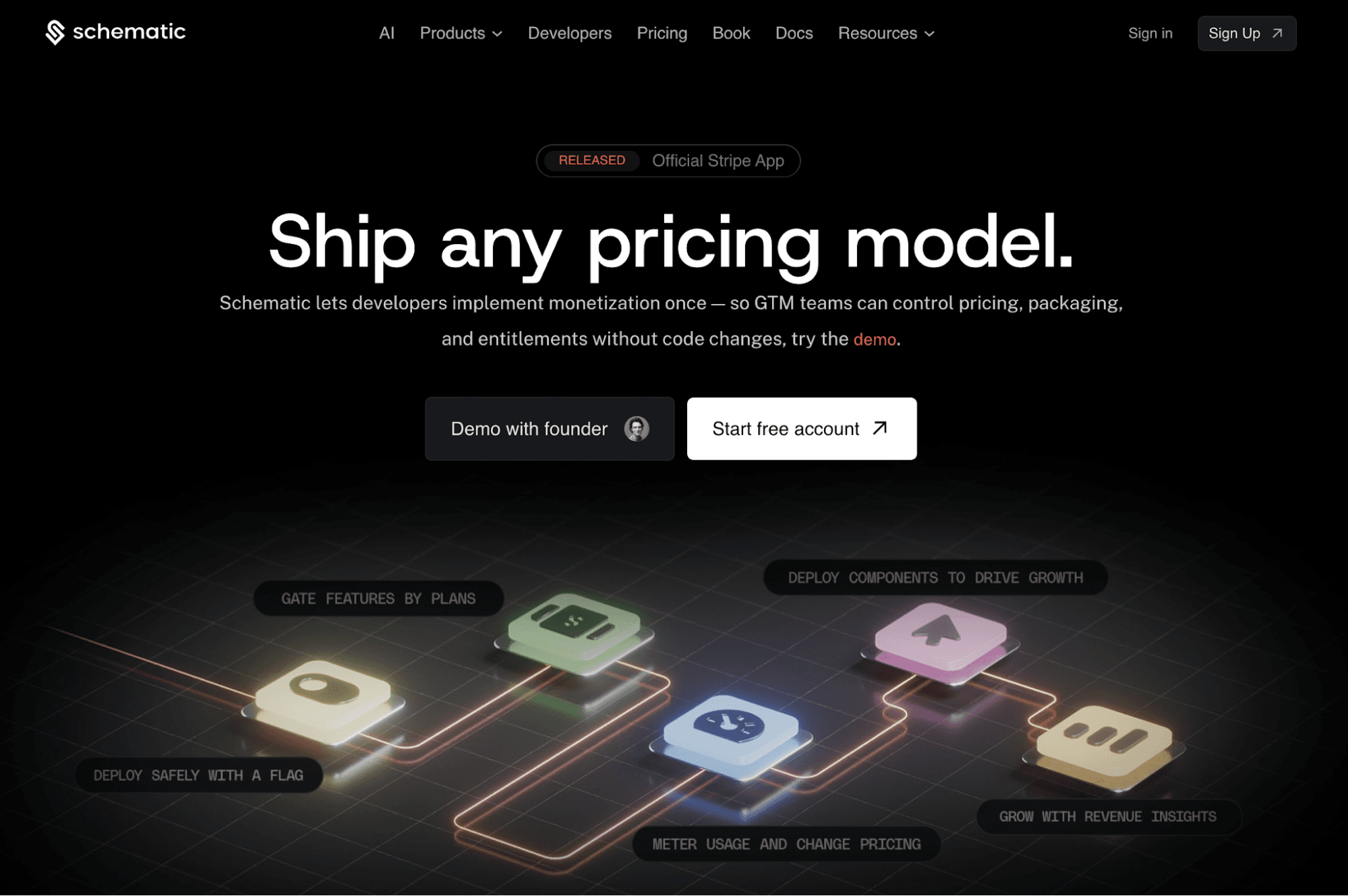
Schematic is the monetization operating system that connects billing rules to product access. It syncs bidirectionally with Stripe in one click. All you have to do is import your products, prices, subscriptions, and customers once. Schematic keeps everything up to date automatically.
Teams can define plans, SaaS entitlements, usage limits, add-ons, credits, and exceptions in a unified product catalog. Changes made through Schematic reflect in Stripe billing, the product, and the customer portal without rewriting application code.
Schematic also tracks upgrades, downgrades, cancellations, renewals, and failed payments. It can provision or revoke entitlements based on the latest subscription status. Customers move to the right access level without custom webhooks or integration glue.
Engineering stops writing billing and entitlement code. Product and go-to-market teams can change packaging, limits, and enforcement in real time.
FAQs About SaaS Billing Automation
What is a SaaS billing system?
A SaaS billing system manages subscriptions, invoices, recurring charges, payments, usage fees, and revenue records. It connects customer plans and usage to billing rules, which can help SaaS companies generate accurate invoices.
What is the SaaS billing strategy?
A SaaS billing strategy defines how an organization prices its software, charges customers, collects payments, and records revenue. It involves choosing the right pricing model and strategy based on business goals and growth stage.
Why do SaaS businesses automate billing processes?
SaaS companies automate billing to reduce manual work, prevent revenue leakage, collect payments faster, and maintain compliance. Automation also helps them manage subscription changes, complex pricing, tax rules, and failed payments without relying on spreadsheets.