 Ryan Echternacht
If you sell a software-as-a-service (SaaS) product, you need a clear way to control what customers or companies can do. Without it, they may access premium features for free, exceed usage limits, or see data that isn’t meant for them.
SaaS access control helps you set those boundaries. It lets you limit features by plan, enforce usage caps, and manage exceptions for your product. This affects not only security but also the customer experience.
In this guide, we'll explain what SaaS access control means, how it works, and different ways you can apply it to your product.
TL;DR
- SaaS access control defines what users can do and what accounts can use by considering both permissions and entitlements inside your SaaS application.
- It works by checking identity, plans, subscription status, and limits before granting or denying access to the product.
- Common models include discretionary access control, role-based access control, attribute-based access control, and entitlement-based access control.
- Most SaaS providers combine role-based and attribute-based access control models to enhance security. Entitlement-based access control extends them by enforcing plan and usage limits.
- Schematic is the complete usage-based billing platform for software and AI companies. It enforces access and limits inside the product at runtime while giving customers full control over their consumption.
What Is SaaS Access Control?
SaaS access control is the process of managing access to software features, data, and actions for each customer. It defines what an individual is allowed to use, see, and do inside your SaaS platform.
It considers both user access permissions and software entitlements.
Permissions answer what users can do within your product. These rules are often tied to roles, such as admin, editor, or viewer.
On the other hand, entitlements work at the account or company level. They answer what a customer can use based on their plan. They include features, services, and other resources they have paid for.
For example, a customer subscribed to a free plan can only use limited features. Those paying for a higher-tiered plan gain access to advanced features.
In simple terms, SaaS access control decides what each user can do and what their account is allowed to use.
How Does SaaS Access Control Work?
SaaS access control works by checking a user’s identity, role, and plan before allowing access to your product. Every time a user tries to view data or use a feature, the SaaS solution runs a set of rules in the background.
These rules evaluate user-level access permissions and account-level entitlements. The system decides if the user is allowed to perform the action and if their plan supports it. This validation happens in real time before showing any data or feature.
Here is a simple step-by-step flow:
- A user logs into your SaaS application.
- The identity and access management (IAM) system verifies the user’s identity and credentials primarily through single sign-on (SSO) or multi-factor authentication (MFA).
- The login process also involves checking user permissions based on the individual's role or attribute.
- SaaS user access is either granted or blocked.
- If granted, the backend checks the current plan, subscription status, and limits every time an authenticated user tries to use your SaaS app.
- The user interface shows or hides features based on those entitlements. In some cases, it can display upgrade prompts ("Unlock this feature with Pro") or usage warnings ("You've used 90% of AI credits").
Different Types of SaaS Access Control Models
SaaS access control uses the following ways to define what users can do and what each account can use.
Discretionary Access Control (DAC)
Discretionary access control gives resource owners the authority to manage permissions. The user who creates a file, project, or data set decides who else can access it.
It answers the question: "Who can access this specific resource based on the owner’s decision?"
This access control model is common in collaborative cloud apps, such as Google Drive and Dropbox.
In Google Drive, for example, the resource owner can share a document with others and decide whether those individuals can edit, comment, or view the document.
DAC is highly adaptable and easy to implement.
However, it significantly increases security risks because resource owners set permissions based on their own discretion. Excessive permissions may accumulate over time, which can lead to data breaches and insider threats if uncontrolled.
Another downside is the lack of centralized access policies. It is difficult to manage or audit company-wide security policies because control is spread out between multiple applications.
Role-Based Access Control (RBAC)
Role-based access control grants or denies access privileges based on a user’s job role rather than individual identity. Each role has specific permissions aligned with job responsibilities or functions.
It explains: "What can this user do based on their role?"
RBAC simplifies SaaS access management because IT security teams manage roles instead of individual permissions.
When a user receives a role, they inherit all the permissions linked to that role. For example, a user with an "Admin" role may have full control over a resource, while a "Viewer" can only read data.
RBAC is designed for scalable access management without compromising data security. It implements the principle of least privilege to reduce security concerns and block unauthorized parties from seeing sensitive user data.
Although RBAC's scalability is appealing, it requires careful role planning and significant administrative effort. It lacks the granularity and flexibility required for complex SaaS environments.
Attribute-Based Access Control (ABAC)
Attribute-based access control offers granular security controls by evaluating user, resource, and dynamic attributes, not just roles. ABAC makes access decisions based on the individual's department, device type, location, and even the time of day.
Instead of assigning a static role to a user, the system checks if they meet certain conditions at the moment they try to take an action.
"Should this user gain access based on their specific attributes (e.g., role, location, or time) under current conditions?" This is the question that ABAC answers.
Companies prioritizing robust security measures often implement attribute-based access control.
ABAC is also more flexible than RBAC. IT security teams can create detailed access policies without creating many roles. It works well for dynamic SaaS environments and cloud-based services that continuously update based on real-time data.
The main challenge is complexity. It takes more effort to define and manage the rules for determining access eligibility.
Entitlement-Based Access Control (EBAC)
Entitlement-based access control focuses on what a customer has purchased. It is tied to commercial agreements like subscriptions, licenses, feature packs, and metered paywalls.
Unlike permissions, which control user actions, SaaS entitlements control access to the product itself. These are owned by the product and engineering rather than the IT security teams.
EBAC answers the question: "What is this account entitled to use based on what the customer has paid for?"
It defines what features are available, how much a user can use, and when limits apply. For example, a plan may allow 10 seats, 100 API calls, or access to advanced features.
EBAC connects access control directly to SaaS pricing and packaging.
Which SaaS Access Control Model Should You Use?
SaaS products do not rely on just one access control model. The right approach is to combine different access control measures based on your specific needs.
Discretionary access control is a good starting point if your SaaS tool allows users to share and manage their own resources. It works for simple use cases, but it becomes hard to manage as your product scales.
In most SaaS platforms, you will need both role-based and attribute-based access control. RBAC makes it easy to manage permissions by granting user roles. ABAC provides dynamic user access controls by evaluating user, resource, and environmental attributes.
Combining RBAC and ABAC creates a hybrid security model that offers the structure of role-based access and the flexibility of attributes.
Entitlement-based access control sits alongside RBAC and ABAC. EBAC controls what the account is allowed to use, while RBAC and ABAC answer what individuals can do within that user account.
All three models address different questions and are designed to work together.
The Importance of Effective SaaS Access Control
SaaS access control is important for several reasons.
Protect Sensitive Data
Your SaaS app stores customer data and other sensitive information. Without a robust access control strategy, the wrong users may see or change data associated with your product. According to the State of SaaS Security Report 2025, 63% of organizations report external data oversharing, which shows how common this problem is.
SaaS access control significantly reduces the risk of data breaches by preventing unauthorized access attempts. It limits who can view, edit, or manage information based on roles, attributes, and account rules. This ensures secure access to sensitive data.
It also supports risk-based and zero-trust access control policies. These policies make access changes by evaluating different factors like user behavior or context. For example, IT teams may restrict access from unknown devices or locations to boost security.
Prevent Software Abuse
You want users to explore your SaaS product, but you also need to prevent abuse and protect your infrastructure costs.
SaaS access control helps you enforce limits on features, usage, and resources. It blocks users from accessing paid features without upgrading and stops them from going beyond set quotas.
Runtime enforcement lets you respond as soon as an account reaches a threshold or tries to exceed its plan.
This approach keeps usage within allowed boundaries. It reduces strain on your infrastructure and helps you control costs as your customer base grows.
Drive Conversions
SaaS access control plays an important role in revenue. It defines what users get on each plan.
By enforcing limits on features and usage, you provide clear reasons to upgrade. Customers see what they are missing and when they hit caps.
You can also show prompts at the right time, such as when a user tries to access a gated feature or exceeds usage limits. These prompts guide users toward higher plans without friction.
Strengthen Security Posture
Robust access control improves your overall SaaS security posture. It sets clear boundaries around who can access your SaaS app, what actions they can take, and which features or services they can use.
Without strong access control, it is easy for unauthorized users to get in and for security gaps to appear. These gaps can come from overly broad access permissions, outdated roles, or missing security configurations.
Access control helps you spot and fix these issues early. By reviewing roles, permissions, and entitlements, you can reduce unnecessary access and tighten control in your SaaS application.
It also helps IT administrators identify potential security threats through audit logs and continuous monitoring tools. Common threats include repeated failed login attempts, unusual access from new locations, or users trying to access restricted features.
Once the system detects these threats, it can block access, require extra user authentication methods (e.g., fingerprint, facial recognition, or security tokens), or encourage plan upgrades.
Meet Compliance Requirements
SaaS providers should follow strict security standards because they handle customer data, including personal information, financial records, and business data. Customers trust SaaS vendors to store and protect that data. If it is exposed or misused, it can lead to legal issues, fines, and loss of trust.
To meet these compliance standards, you need complete control over access to your product. This means defining roles, controlling permissions, and limiting access based on account and security rules.
A robust access control strategy helps you prove that only the right users can access sensitive data. It implements strict cloud access rules and keeps them consistent for your product. It also provides real-time visibility into who accessed what and when through audit logs.
This makes it easier to pass security reviews and audits. It shows that your product follows compliance requirements and that access is properly managed at all times to guarantee data privacy.
Enforce Access and Limits In-Product at Runtime With Schematic
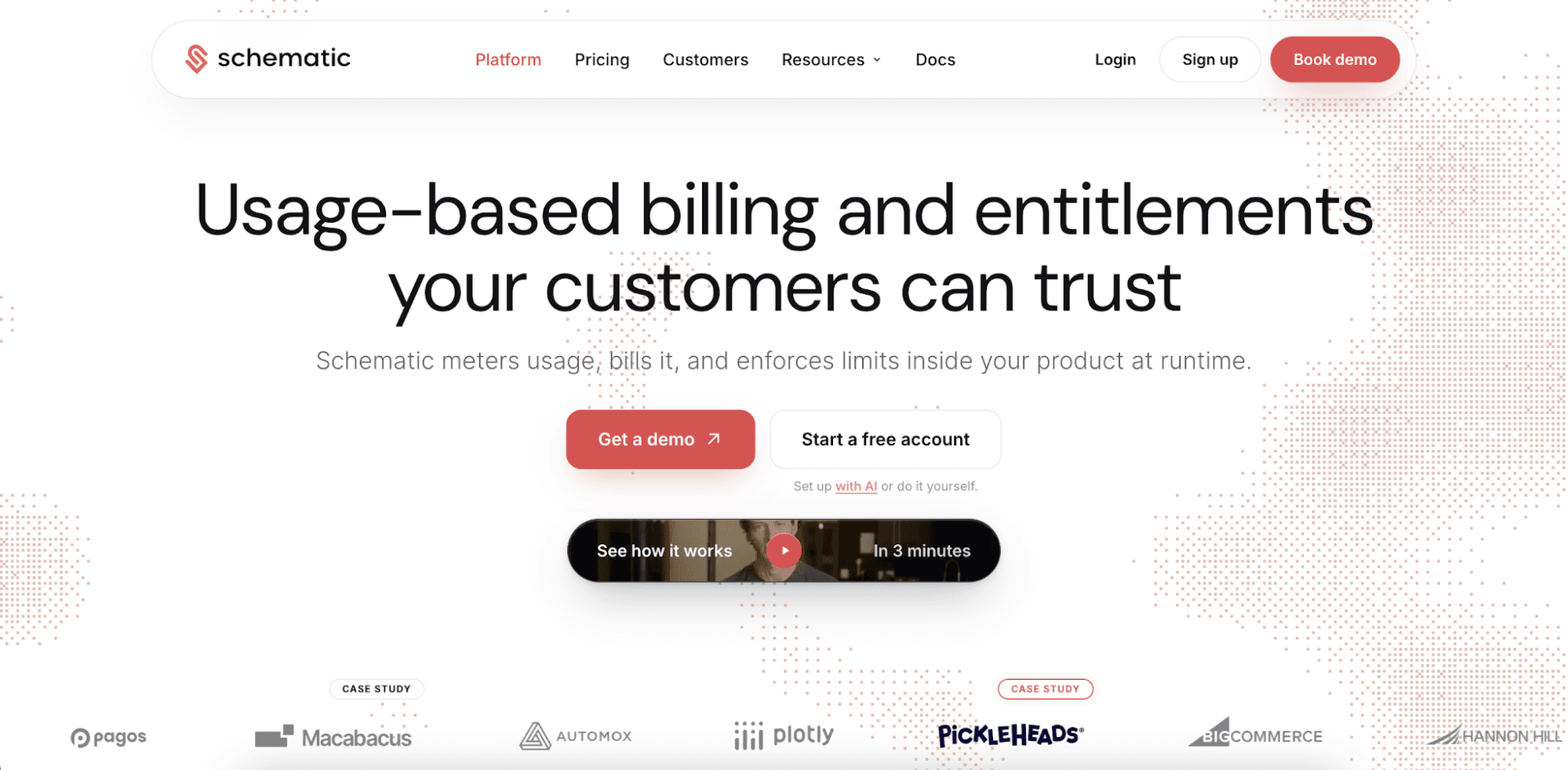
Schematic is the best usage-based billing platform for software and AI companies selling to enterprises. It can meter consumption, bill on credits, enforce every limit in real time, and give customers complete control over their spending.
It's the only billing software that addresses customer trust structurally. Every entitlement tracks against the usage cap set by your customers or your team.
Max Ade from Pickleheads shares, "Without Schematic, we couldn't have implemented usage limits like capping round robins per month, a capability that was essential to our pricing strategy."
Usage limits, spending caps, and pricing plans are configured from the user interface. Commercial teams can instantly see current usage, grant overrides, and apply changes without filing an engineering ticket.
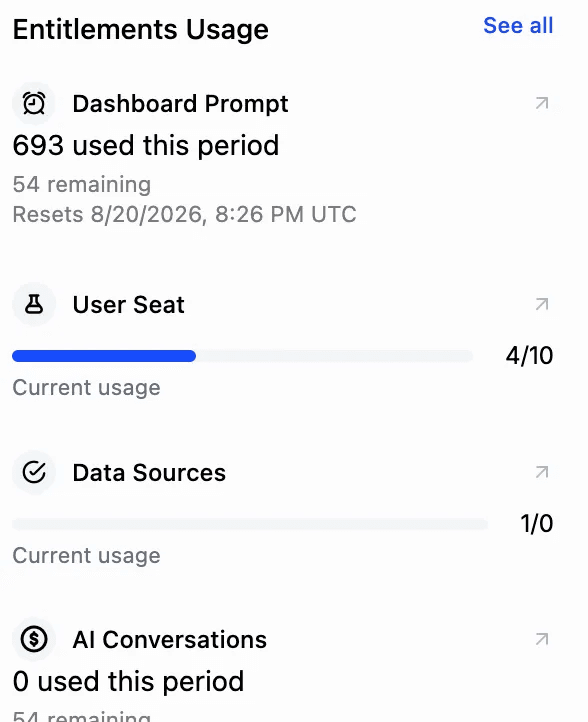
Schematic also stands out for its real-time entitlement engine and robust enterprise credit wallets. These prevent runaway bills or unexpected access throttling by applying policies the moment you or your customer saves them.
Buyers and sellers gain confidence that usage will stay within budget and that customers will only be charged for what they expect. The result is less friction during procurement, faster sales cycles, more predictable expansion, and higher long-term revenue.
FAQs About SaaS Access Control
What are the common models of SaaS access control?
The most common SaaS access control models are discretionary access control, role-based access control, attribute-based access control, and entitlement-based access control. DAC lets users manage their own resources. RBAC assigns permissions by role, while ABAC evaluates different attributes. EBAC controls product access based on plans, features, and usage limits.
Why is entitlement-based SaaS access control important?
Entitlement-based access control matters because it defines what customers can use based on what they have paid for. This helps you enforce plan limits, control feature access, and prompt upgrades for customers who have reached thresholds.
How do SaaS companies enforce product limits?
SaaS companies enforce product limits by checking entitlements in real time. Each action is validated against plan rules, usage caps, or credits. If a user reaches a limit, the system can block access, show warnings, or encourage plan upgrades.
What are the benefits of SaaS security access control?
SaaS security access control can protect sensitive data, reduce security risks, prevent identity theft, and maintain regulatory compliance. It limits access based on account and security settings, which lowers exposure to external threats. It also tracks user activity, helping you detect and respond to security incidents before they cause damage.