 Ryan Echternacht
SaaS billing is more complex than traditional billing.
Subscriptions, usage-based charges, and plan changes introduce edge cases that legacy billing workflows were not designed to handle.
Customers sign up, change plans, exceed limits, and cancel over time. Billing has to keep up with that motion without drifting away from product access or usage.
This guide explains how SaaS billing works, the billing models teams use, and how to manage billing as products scale across self-serve and sales-led motions.
TL;DR
- The SaaS billing process defines how subscriptions, usage, plan changes, and payments work together to charge customers accurately over time.
- A complete SaaS billing process follows clear steps: define billable units, translate pricing into rules, track usage at the source, enforce access in-product, generate invoices, and sync billing state back to the product.
- Modern SaaS teams use multiple billing models, including flat-rate, tiered, per-user, usage-based, credit-based, and hybrid models, depending on how value is delivered.
- When pricing expands to usage, limits, and custom contracts, teams often add a subscription management layer like Schematic to keep usage and entitlements aligned with Stripe’s billing state in real time.
What Is SaaS Billing?
SaaS billing is the process of charging customers for a SaaS product based on subscription plans, usage, or contract terms.
It defines how customers are billed, how charges repeat over a billing cycle, and how plan changes or usage affect invoices.
Unlike one-time transactions, SaaS billing supports a recurring revenue model where pricing, access, and usage change over time.
Common terms used for the SaaS billing process include:
- SaaS subscription billing
- SaaS invoicing
- SaaS billing management
- SaaS billing automation
A SaaS billing system connects usage data, pricing rules, and invoicing and payment collection end-to-end.
It supports recurring billing, usage-based pricing, and hybrid contracts while keeping billing information accurate as customers upgrade, downgrade, or exceed limits.
When billing reflects real product activity, teams protect cash flow, support revenue recognition, and maintain customer trust.
SaaS Billing vs. Subscription Management
SaaS billing and subscription management serve different roles, but they work best together.
Billing systems handle charges, invoices, and payments. They calculate what customers owe based on pricing rules, usage totals, and billing cycles. These systems focus on invoice accuracy, payment collection, and revenue reporting.
Subscription management focuses on the customer state inside the product. It covers plans, entitlements, limits, trials, credits, and contract exceptions.
This layer decides what customers can access and when those rules change. It often reflects sales terms, upgrades, downgrades, and temporary overrides.
Many SaaS companies use both because billing alone does not control product behavior. Subscription management keeps access aligned with customer state, while billing systems handle financial execution.
Together, they help teams support self-serve and sales-led motions within a hybrid funnel without disconnects between product access and invoices.
Why the SaaS Billing Process Matters as Products Scale
As your SaaS business model grows, billing decisions touch more teams and systems. You support self-serve signups, sales-led contracts, trials, and usage limits at the same time.
Without a solid billing architecture, pricing rules drift between the product and invoicing systems.
A strong SaaS billing process keeps pricing consistent between motions and supports flexible pricing models without breaking workflows. It keeps recurring payments aligned with real usage, plan limits, and contract terms.
Research from OpenView shows that three out of five SaaS companies now use some form of usage-based pricing, with many adopting hybrid models that combine subscriptions and usage.
That consistency helps teams generate accurate invoices and maintain predictable monthly recurring revenue. The same consistency improves financial reporting.
Clear billing communications and timely customer notifications keep customers informed when plans change or limits are reached.
This clarity increases customer satisfaction, strengthens customer relationships, and improves customer retention.
The SaaS Billing Process Step by Step
SaaS billing works best when pricing, usage, and access follow a clear order. These steps show how teams move from plans to invoices without breaking that flow.
Step 1: Define Billable Units
Start by deciding what customers pay for. This includes plans, usage metrics, seats, credits, and add-ons. Some products charge a fixed fee, while others rely on consumption.
Clear definitions are important because every downstream step depends on them.
Examples include API calls, AI tokens, data volume, or active users.
Step 2: Translate Pricing Into Billing Rules
Next, turn pricing strategies into explicit billing rules. Map plans and contracts to limits, software entitlements, and exceptions. This is where hybrid pricing enters the picture.
You may support subscriptions plus usage, or sales-led terms alongside self-serve plans.
Pricing rules that stay ambiguous make SaaS billing harder to operate.
Step 3: Track Usage at the Source
Capture usage where product activity happens. This keeps customer data accurate and avoids disputes later. Usage tracking should reflect real behavior, not delayed reports.
Real-time or near-real-time metering supports complex billing scenarios and sets the foundation for automated billing.
Step 4: Apply Access Rules in the Product
Use billing rules to control access inside the product. Gate features, limits, and trials are based on the subscription plan and usage.
When enforcement happens in-product, customers see clear outcomes instead of surprises on invoices. This step protects the customer experience and aligns with customer expectations.
Step 5: Generate Charges and Invoices
With usage and access aligned, generate charges. This includes recurring charges, usage charges, and one-time fees.
Automated invoicing reduces manual work and supports accurate invoice generation.
Proration during upgrades or mid-cycle changes should follow the same rules used earlier.
Step 6: Sync Billing State Back to the Product
Finally, reflect the billing state in the product. Payment status, cancellations, renewals, and grace periods should influence access and account management, often via webhooks from your billing system.
When this loop stays closed, it’s a win for everyone: customers pay correctly, support teams rely on clean payment history, and billing scales with your customer base.
Popular SaaS Billing Models to Use
SaaS products use different billing models based on how value is delivered and measured. Each model defines how charges are calculated, how usage is tracked, and how billing adapts to changes in customer behavior.
Choosing the right model helps teams manage the complexities of SaaS billing as products scale.
- Flat-rate billing - Customers pay a fixed fee per billing period, regardless of usage. This model is simple to operate and easy to explain.
- Tiered pricing - Pricing changes based on plan level, feature access, or usage thresholds defined in subscription billing software.
- Per-user billing - Charges scale with the number of active seats tied to account records and customer data.
- Usage-based billing - Billing reflects actual consumption, often paired with automated invoicing and real-time metering.
- Credit-based billing - Customers pre-purchase credits and draw down balances as they use the product.
- Freemium models - A free tier limits access while paid plans unlock features or higher usage.
- Hybrid billing models - Teams combine subscriptions and usage to support self-serve and sales-led flows.
- Contract-based pricing - Custom terms define pricing, limits, and billing rules for larger accounts.
Common Challenges in SaaS Billing Operations
SaaS billing operations become more complex as pricing models, subscriptions, and usage grow. Many teams face challenges that can affect billing accuracy, customer experience, and revenue management.
- Complex pricing models - SaaS businesses usually offer multiple pricing structures, including tiered pricing, usage-based plans, and hybrid models. Managing these combinations can complicate billing logic.
- Billing errors - Billing disputes often appear when usage, entitlements, or contract terms fall out of sync with invoices. Traditional invoicing processes that involve manual calculations and spreadsheets can also lead to errors.
- Subscription changes and proration - Customers frequently upgrade, downgrade, or switch plans mid-cycle, which requires constant attention.
- Failed payments - Payment failures caused by expired cards, insufficient funds, or bank declines can interrupt recurring subscriptions and create revenue leakage if you don't have proper recovery workflows.
- Product bundling - Product bundling complicates SaaS billing. When multiple features or products are packaged into one plan, teams should accurately track entitlements, pricing rules, and usage across bundled components.
- Scalability - Higher volume introduces additional complexities for SaaS billing, including greater variation in plans, exceptions, and overrides tied to real usage.
- Financial compliance - Companies must ensure billing aligns with accounting standards and tax regulations.
Best Practices for SaaS Billing
Teams that run billing effectively rely on a small set of repeatable operating principles. These SaaS billing best practices focus on consistency between pricing, product behavior, and invoicing.
Define Pricing and Billing Rules Explicitly
SaaS billing works best when pricing and billing rules are clearly documented and consistently applied.
Document how plans, usage, credits, discounts, and exceptions translate into charges. You should also specify how you bill bundled features.
Clear rules reduce ambiguity inside SaaS billing software and prevent manual fixes later.
Standardize Proration and Renewal Logic
Customers often upgrade, downgrade, or switch plans during their billing cycle. Without consistent proration logic, these subscription changes can produce inaccurate invoices or unexpected charges.
Standardize how prorated charges are calculated in all flows, including self-serve upgrades and sales-assisted contracts. The same rules should apply to renewals, mid-cycle plan changes, and add-ons.
Consistency is more important than flexibility in these cases. Predictable billing logic ensures that subscription changes generate correct invoices and maintain trust with customers.
Monitor Billing Accuracy as Part of Operations
Regularly reconcile usage, entitlements, invoices, and collected payments. Treat mismatches as system issues, not support tickets.
Discrepancies between SaaS usage and invoices can lead to billing errors, customer complaints, or hidden revenue leakage.
Establishing periodic reconciliation checks helps you identify configuration problems early.
Over time, consistent monitoring improves the reliability of your billing infrastructure and ensures accurate revenue reporting.
Automate Retries and Customer-Facing Updates
Recurring billing depends on reliable payment collection. However, transactions may fail, which can interrupt subscriptions and create avoidable revenue loss.
Automated billing software helps manage these issues through retry logic, often called dunning workflows. The system can attempt to collect payments multiple times while notifying customers to update their payment details.
Many billing solutions also include customer self-service portals. These enable users to update payment information without involving support.
Support Flexible Payment Options
As SaaS companies expand globally, customers expect multiple payment options. Limiting payments to a single option can create friction in the checkout process and delay collections.
The right SaaS billing platform should offer multiple payment methods without fragmenting workflows. It improves the billing experience for customers and increases the likelihood of successful payments.
Supporting flexible payment options can also expand market reach, especially for international customers who rely on local payment methods.
When Do SaaS Teams Reevaluate Their Billing Setup?
Teams often revisit their billing setup when existing workflows stop matching how the product is sold and used. This usually happens when pricing expands beyond a single plan or fixed fee.
Growth in pricing models introduces more rules to manage. Usage-based or hybrid billing adds real-time usage tracking, limits, and credits into the mix.
Sales-led contracts bring custom terms, overrides, and exceptions that must align with self-serve plans. Each change increases the surface area for inconsistencies.
International expansion adds another layer. Currency support, taxes, and regional billing requirements affect how charges are calculated and reported.
At this stage, teams also rely more heavily on billing data to reconcile usage, contracts, and invoices between systems.
These moments usually appear when billing logic no longer matches how the product is sold and enforced.
Support Modern SaaS Billing with Schematic
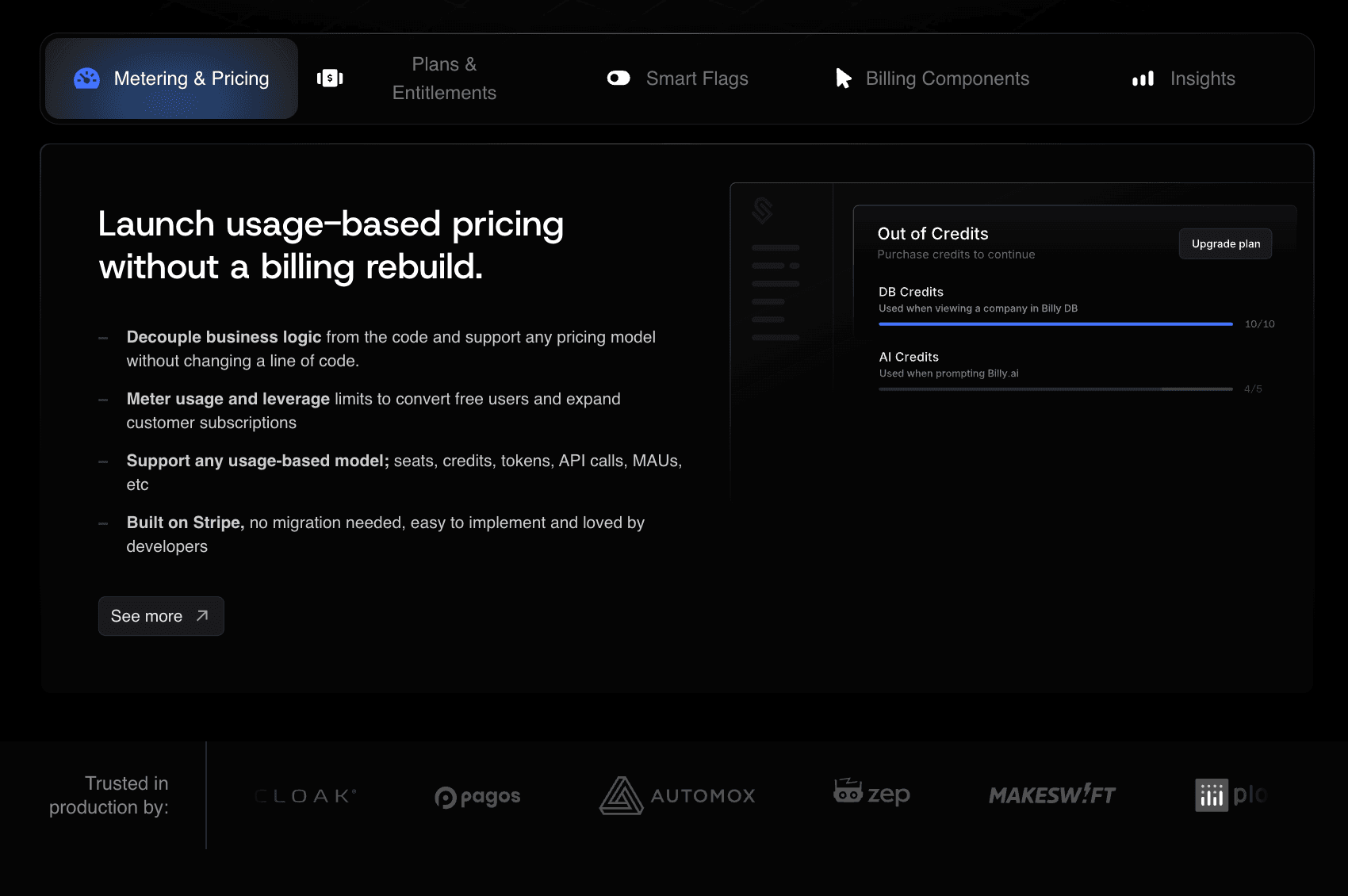
As pricing models move beyond simple subscriptions, many SaaS teams add a dedicated subscription management layer to keep pricing rules, usage, and billing state consistent between systems.
Schematic fills that role for SaaS and AI companies running hybrid pricing and hybrid go-to-market motions. It sits between your product and Stripe and acts as the system of record for plans, SaaS entitlements, limits, trials, credits, add-ons, and contract exceptions.
Stripe continues to handle invoices, taxes, and payments. Schematic keeps usage and access aligned with the billing state inside the product, so charges reflect what customers can actually use.
Teams use Schematic to meter usage, enforce limits in-product, and reflect billing state in real time without hard-coded logic or one-off billing rules. This keeps the SaaS billing process accurate as pricing, usage, and contracts grow more complex.
FAQs About SaaS Billing Process
What’s the easiest way to manage billing for a SaaS product?
The easiest approach is to keep Stripe or a billing system as the source of truth for invoices and payments, then keep plans, usage, and access rules consistent with that system. Teams reduce manual work by automating invoicing, retries, and customer updates, then reconciling usage and invoices on a set cadence.
What is SaaS payment processing?
SaaS payment processing is how your billing system collects money from customers. It includes capturing a payment method, charging it on a schedule or when usage posts, handling failed payments, and recording the result so access and invoices stay consistent.
What is the process of billing procedures?
Billing procedures are the operational steps that turn pricing into charges and payments. Teams define billable units, apply pricing rules, track usage, generate invoices, collect payment, and sync billing status back into the product so access matches what was paid for.