 Ryan Echternacht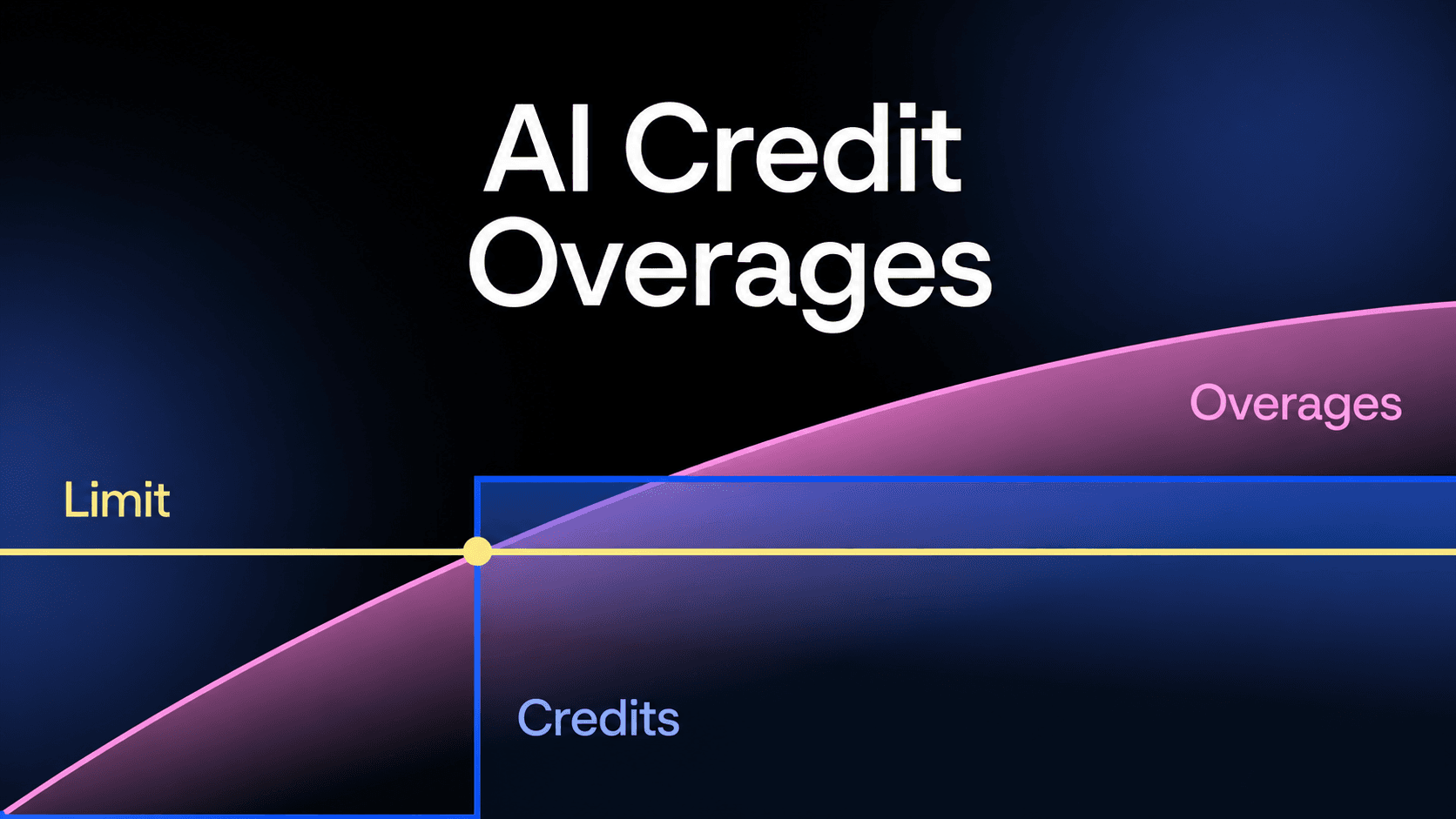
AI credit overages are extra costs that a user pays when their credit usage exceeds the monthly allocation.
Many AI and SaaS companies now use AI credits to charge customers based on actual usage instead of fixed plans. According to Growth Unhinged, credit-based models grew 126% year-over-year in 2025, which shows how fast organizations are shifting toward usage-based pricing.
However, implementing overage pricing on top of credit-based billing introduces several challenges.
Users don’t always know how fast they consume credits. Bills can suddenly spike if they don't monitor AI credit consumption. This leads to confusion, trust issues, or worse, customer churn.
This guide explains what AI credit overages mean, how they work, and how to manage them the right way.
TL;DR
- AI credits overages are additional charges that apply when users go beyond their included credits.
- They work by requiring users to purchase prepaid credits once their balance runs out, either through manually purchased bundles or automatic top-ups.
- Common risks include billing disputes, loss of customer trust, lack of cost predictability, credit abuse, and engineering complexity.
- Best practices for managing overage risks involve setting alerts, showing actual usage, capping maximum spending, and guiding users toward plan upgrades.
- Schematic is the best usage billing platform that helps software and AI companies model any pricing, including AI credit overages. Credit wallets give customers real-time visibility and control over their consumption.
What Are AI Credit Overages?
AI credit overages refer to the additional fees charged when a customer goes beyond the monthly credit allocation included in their plan.
AI credits act as units of usage. They can represent API calls, tokens, compute time, messages, queries, or other defined AI actions.
Each plan comes with a set number of available credits. Once a user consumes a plan's included credits, any extra usage is immediately billed as overages.
In simple terms, AI credit overages mean paying for usage beyond the base allowance.
This hybrid pricing model matters because AI usage is not always predictable. Some users stay within credit limits, while others use far more than expected.
By enabling AI credit overages, companies can capture that extra usage instead of limiting access or forcing an account upgrade. It helps align pricing with actual usage while keeping plans flexible for different types of business users.
How AI Credit Overages Work
AI credit overages work by selling more prepaid credits once a user has exhausted all credits for the current month. This is the typical way credit-based pricing models handle overages, where users need to add more AI credits before usage can continue.
Customers can buy prepaid bundles manually. Alternatively, they can enable automatic top-ups so the system automatically adds credits when their balance nears or reaches zero.
After purchasing new credits, usage resumes as normal. The system deducts from this updated balance just like it does with the original allocation.
A Simple Example of AI Credit Overages
Let's say a customer signs up for a paid plan that includes free 10k AI credits per month.
During this period, the customer uses all 10k AI credits and needs more. Once their credits run out, they cannot use the product unless they add more credits or wait until the credits reset in the next billing period.
At this point, the customer either buys a bundle of additional credits or has automatic top-up enabled, which automatically adds more credits to their account.
Once they add 5k more credits, they can continue using the product. Then, the system will deduct from this new credit balance.
In total, the customer uses 15k AI credits, which are all prepaid through their plan and additional credit purchases.
Challenges and Risks of AI Credit Overages
AI credit overages can drive revenue, but they also introduce risks if not controlled carefully.
Billing Disputes
Billing disputes happen when customers question the charges on their invoice. This often occurs when usage spikes without clear visibility.
A user may assume their credit usage is similar to a previous billing cycle, but current usage can be much higher. Without real-time tracking and context, they don’t realize how fast they're consuming AI credits.
When the monthly invoice arrives, overages may appear as a separate line item. That makes the extra cost stand out, especially if it’s tied to usage the user did not actively monitor.
The customer feels like the additional charges are sudden and unfair, which leads to billing disputes.
To avoid these situations, you need to establish cost controls on your end and the user's end. Provide usage dashboards and send alerts when customers reach credit usage thresholds. Then, enforce limits and pause usage when they hit overage caps.
Reduced Customer Trust
If users don’t understand how overages are calculated on a monthly basis, they start to question your pricing. Even small unexpected fees can create doubt.
This becomes worse when users have to review specific pricing details just to understand their total bill. If it takes too much effort, they assume the system is unclear or unfair.
Over time, this weakens confidence in your product. Users may limit usage or switch to competitors with simpler pricing.
For companies selling SaaS and AI tools, trust is tied directly to customer retention. If you fail to clarify pricing, you can expect users to leave.
Lack of Cost Predictability
Many organizations need to plan their budgets in advance. Overage billing makes this harder.
AI credit usage can change based on AI model choice, prompt size, response length, and how often users interact with AI features.
Even small changes, like switching to a more advanced model or using an AI assistant to answer questions, can raise credit consumption quickly. This makes it difficult to estimate and control costs per user.
Some teams try to manage this by setting a maximum limit on spending. But even then, they may not know how close they are to that cap at any given time.
This uncertainty creates friction, especially for enterprise customers. Finance teams want clear expectations, not variable bills.
If users can’t predict costs, they may reduce usage or avoid deeper adoption of your product.
Abuse and Uncontrolled Usage
Overages can lead to runaway usage if there are no strict controls in place.
For example, inefficient prompts, loops, bots, or automated scripts can consume more credits than usual. In some cases, bad actors may exploit the system.
Without proper safeguards, usage can spike overnight. By the time the issue is caught, the damage is done.
This can create tension between you and the customer, especially if they face a large bill next month due to usage they didn’t intend.
Engineering and Billing Complexity
Enabling overages is not simple on the backend and demands significant engineering resources.
You need accurate usage tracking, real-time reporting, and reliable usage billing systems. Any gap can lead to incorrect charges or delays.
It also requires syncing product usage with billing logic. If these systems don’t match, users may see different numbers across dashboards and invoices.
Over time, this adds technical overhead. Engineering is forced to maintain and update these systems as GTM teams change pricing and packaging. It can slow down product development and increase operational costs if not managed well.
Revenue recognition introduces another layer of complexity. Under ASC 606, businesses should only recognize revenue once the credits are consumed, and not when they are billed or paid.
Best Practices for Managing AI Credit Overages
These best practices can be helpful in addressing the risks of AI credit overages.
Set Clear Usage Limits and Alerts
Customers should never be surprised by credit overages. The best way to prevent this is by setting real-time alerts.
Notify users when they reach key thresholds, like 50%, 80%, and 100% of their AI credit usage. This gives them time to adjust before costs increase.
You can send email notifications, in-app alerts, or dashboard warning signs to avoid billing disputes.
Provide Transparent Usage Visibility
Customers need to see their AI credit usage as it happens. If they can’t track it, they can’t control it.
A simple dashboard should show how many credits they've used and how many credits they have left. It removes guesswork and helps users stay within budget.
Give both end users and internal teams access through an admin page. This allows better monitoring of accounts and faster response when usage suddenly spikes.
You should also let users review past activity, so they can understand what drove their usage and where AI credits were spent.
Cap Maximum Overage Spend
Another way to reduce risk is to cap how much a user can be charged in credit overages.
Instead of letting credit usage run without limits, set a clear ceiling on extra spending. Once the customer reaches that cap, you can pause usage or require approval to continue.
This is especially useful for enterprise plans, where limits can be defined upfront in a contract. It sets clear expectations and avoids disputes later.
Alternatively, you can expose cost controls to users. Allow customers to set a monthly purchase limit for extra usage. This limit can be configured, giving users better control over their spending.
By capping overages, you prevent extreme bills while still allowing flexibility. It protects your customers from surprises and helps maintain long-term trust in your product.
Guide Customers Toward Plan Upgrades
Credit overages should not be the only path for heavy users. You should guide them toward better plans with greater value.
When users consistently go over their limits, prompt them to upgrade. Show how a plan with higher limits could be cheaper in the long run. You can also throttle access or block further activity using metered paywalls.
Make it easy to purchase an add-on or move to a new tier without friction.
Timing matters. Trigger upgrade prompts before overages become too expensive.
This helps users feel like they have options. It also improves your revenue by moving users into plans that better match their usage.
It's important to train your sales reps and customer success teams on how to handle these upsell conversations. Customers shouldn't feel forced when making a transition.
Launch AI Credit Overages and Enforce Limits at Runtime With Schematic
Schematic is the best usage-based billing platform for software and AI companies selling to enterprises. It provides one engine for modeling, metering, and credits.
With Schematic, you can ship any pricing model, including credit-based pricing with overages. Version plans and preview changes before implementing them at the organization level.
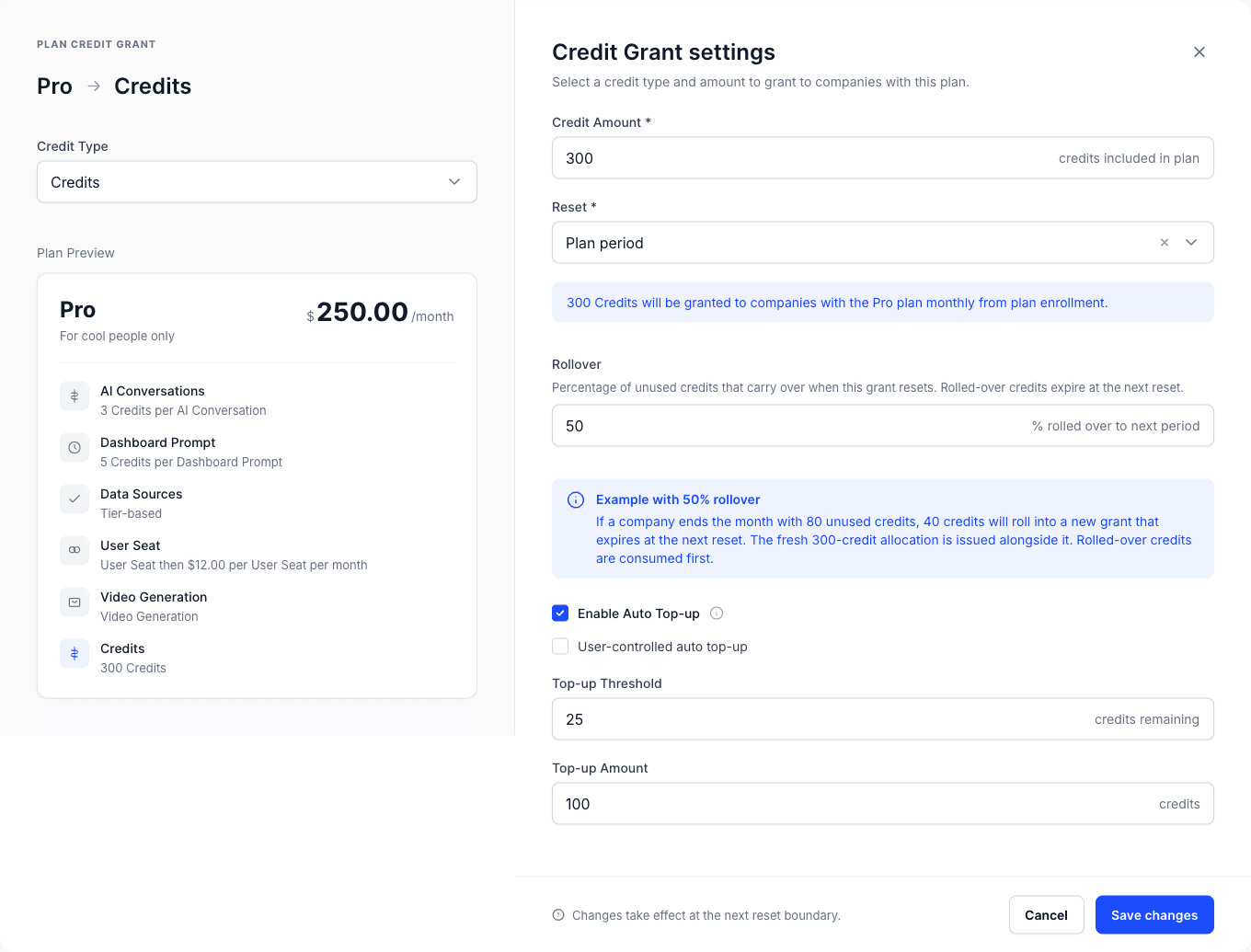
Native credit wallets allow you to configure credit grant, rollover, automatic top-up, burn-down, and overage settings. Changes take effect as soon as you save them.
Pricing lives as data on a real-time ledger. That means plan and packaging changes happen through configuration, not code.
Max Ade from Pickleheads shares, "With Schematic, pricing changes and experiments are really easy to execute, and we iterated on our pricing model in the first week after launch."
Plus, Schematic is the only billing platform that addresses customer trust structurally. It shows enterprise buyers exactly what they use and owe in real time without waiting for the invoices to arrive.
Spend forecasts, self-service controls, and configurable spending limits give customers complete control over their usage. Both buyers and sellers gain confidence that consumption will stay within budget.
FAQs About AI Credit Overages
How to enable credit overages?
To enable credit overages, you allow usage to continue after a user runs out of credits. Set a price per extra credit and define billing rules. An administrator can configure limits, alerts, and permissions to help users understand when overages begin.
Are AI credit overages better than flat pricing?
AI credit overages work better when usage varies. They charge customers based on actual credit consumption. Flat or subscription pricing is simpler but less flexible. Many companies combine subscription plans with overages for extra credits to balance flexibility and control.
How many AI credits do AI services cost?
AI credit costs depend on the model, compute needs, and type of request. For example, advanced AI models use more credits by default. Some AI platforms also offer automatic upgrades to higher tiers when usage increases, which can change how credits are priced.
Do unused AI credits roll over?
Unused credits can roll over to the next billing period, depending on the company's subscription structure. Disabling rollover encourages regular usage, while allowing it can improve user trust and reduce pressure to use all credits each month.